Entries tagged as sha256
android ac100 certificate cloudflare cryptography facebook gentoo hash https laptop linux notebook security sha1 smartbook ssl subnotebook tls toshiba ubuntu updates windowsxp ca cacert ccc certificateauthority encryption md5 openssl privatekey rsa sha2 symantec transvalid x509 algorithm browser cccamp11 dell edellroot eff maninthemiddle observatory openleaks pss superfish taz vulnerability aiglx apache apt braunschweig bsideshn cccamp cccamp15 certificates chrome chromium cmi compiz crash crypto darmstadt datenschutz deb debian deolalikar diffiehellman diploma diplomarbeit easterhegg email english enigma fedora forwardsecrecy gnupg gpg gsoc hannover http javascript key keyexchange keyserver letsencrypt libressl math milleniumproblems mitm modulobias mrmcd mrmcd101b nginx nist nss ocsp ocspstapling openbsd openpgp packagemanagement papierlos password pgp pnp privacy provablesecurity random rc2 revocation revoke rpm rsapss schlüssel server sha512 signatures slides smime stuttgart talk thesis unicode university utf-8 verschlüsselung web websecurity wordpress factoring aok adguard antivirus breach cms cookies crime csrf freak heist joomla kaspersky komodia netfiltersdk privdog protocolfilters rss samesite sni time update gajim jabber otr xmpp 0days 27c3 addresssanitizer adobe aead aes afra altushost antivir asan auskunftsanspruch axfr azure barcamp bash berlin berserk bias bigbluebutton bleichenbacher blog bodensee botnetz bsi bufferoverflow bugbounty bundesdatenschutzgesetz bundestrojaner bundesverfassungsgericht busby bypass c cbc cellular cfb chcounter clamav clang clickjacking code conflictofinterest cookie cve dingens distributions dns domain drupal eplus fileexfiltration firefox firewall freesoftware freewvs frequency fsfe ftp fuzzing gallery gcc ghost gimp git glibc gnutls gobi google gsm gstreamer hackerone hacking heartbleed helma infoleak informationdisclosure internetscan ircbot itsecurity jodconverter karlsruhe leak lessig libreoffice luckythirteen malware mantis memorysafety mephisto microsoft mobilephones moodle mozilla mpaa mplayer mrmcd100b multimedia mysql napster nessus newspaper ntp ntpd onlinedurchsuchung openbsc openbts openvas osmocombb owncloud padding panda passwordalert passwort passwörter pdo phishing php poodle python rand redhat rhein s9y salinecourier science serendipity session shellbot shellshock sicherheit snallygaster sniffing spam sqlinjection squirrelmail staatsanwaltschaft stacktrace study subdomain sunras support tlsdate toendacms überwachung unicef useafterfree userdir virus vlc vortrag vulnerabilities webapps webmontag wiesbaden windows wiretapping xgl xine xsa xss zerodays zugangsdaten zzuf calendar ipv6 planet stadtmitte demonstration topberlin vorratsdatenspeicherung
Friday, December 11. 2015
What got us into the SHA1 deprecation mess?
Important notice: After I published this text Adam Langley pointed out that a major assumption is wrong: Android 2.2 actually has no problems with SHA256-signed certificates. I checked this myself and in an emulated Android 2.2 instance I was able to connect to a site with a SHA256-signed certificate. I apologize for that error, I trusted the Cloudflare blog post on that. This whole text was written with that assumption in mind, so it's hard to change without rewriting it from scratch. I have marked the parts that are likely to be questioned. Most of it is still true and Android 2 has a problematic TLS stack (no SNI), but the specific claim regarding SHA256-certificates seems wrong.
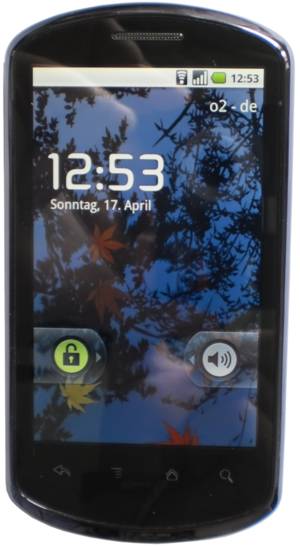 This week both Cloudflare and Facebook announced that they want to delay the deprecation of certificates signed with the SHA1 algorithm. This spurred some hot debates whether or not this is a good idea – with two seemingly good causes: On the one side people want to improve security, on the other side access to webpages should remain possible for users of old devices, many of them living in poor countries. I want to give some background on the issue and ask why that unfortunate situation happened in the first place, because I think it highlights some of the most important challenges in the TLS space and more generally in IT security.
SHA1 broken since 2005
The SHA1 algorithm is a cryptographic hash algorithm and it has been know for quite some time that its security isn't great. In 2005 the Chinese researcher Wang Xiaoyun published an attack that would allow to create a collision for SHA1. The attack wasn't practically tested, because it is quite expensive to do so, but it was clear that a financially powerful adversary would be able to perform such an attack. A year before the even older hash function MD5 was broken practically, in 2008 this led to a practical attack against the issuance of TLS certificates. In the past years browsers pushed for the deprecation of SHA1 certificates and it was agreed that starting January 2016 no more certificates signed with SHA1 must be issued, instead the stronger algorithm SHA256 should be used. Many felt this was already far too late, given that it's been ten years since we knew that SHA1 is broken.
A few weeks before the SHA1 deadline Cloudflare and Facebook now question this deprecation plan. They have some strong arguments. According to Cloudflare's numbers there is still a significant number of users that use browsers without support for SHA256-certificates. And those users are primarily in relatively poor, repressive or war-ridden countries. The top three on the list are China, Cameroon and Yemen. Their argument, which is hard to argue with, is that cutting of SHA1 support will primarily affect the poorest users.
Cloudflare and Facebook propose a new mechanism to get legacy validated certificates. These certificates should only be issued to site operators that will use a technology to separate users based on their TLS handshake and only show the SHA1 certificate to those that use an older browser. Facebook already published the code to do that, Cloudflare also announced that they will release the code of their implementation. Right now it's still possible to get SHA1 certificates, therefore those companies could just register them now and use them for three years to come. Asking for this legacy validation process indicates that Cloudflare and Facebook don't see this as a short-term workaround, instead they seem to expect that this will be a solution they use for years to come, without any decided end date.
It's a tough question whether or not this is a good idea. But I want to ask a different question: Why do we have this problem in the first place, why is it hard to fix and what can we do to prevent similar things from happening in the future? One thing is remarkable about this problem: It's a software problem. In theory software can be patched and the solution to a software problem is to update the software. So why can't we just provide updates and get rid of these legacy problems?
Windows XP and Android Froyo
According to Cloudflare there are two main reason why so many users can't use sites with SHA256 certificates: Windows XP and old versions of Android (SHA256 support was added in Android 2.3, so this affects mostly Android 2.2 aka Froyo). We all know that Windows XP shouldn't be used any more, that its support has ended in 2014. But that clearly clashes with realities. People continue using old systems and Windows XP is still alive in many countries, especially in China.
But I'm inclined to say that Windows XP is probably the smaller problem here. With Service Pack 3 Windows XP introduced support for SHA256 certificates. By using an alternative browser (Firefox is still supported on Windows XP if you install SP3) it is even possible to have a relatively safe browsing experience. I'm not saying that I recommend it, but given the circumstances advising people how to update their machines and to install an alternative browser can party provide a way to reduce the reliance on broken algorithms.
The Updatability Gap
But the problem with Android is much, much worse, and I think this brings us to probably the biggest problem in IT security we have today. For years one of the most important messages to users in IT security was: Keep your software up to date. But at the same time the industry has created new software ecosystems where very often that just isn't an option.
In the Android case Google says that it's the responsibility of device vendors and carriers to deliver security updates. The dismal reality is that in most cases they just don't do that. But even if device vendors are willing to provide updates it usually only happens for a very short time frame. Google only supports the latest two Android major versions. For them Android 2.2 is ancient history, but for a significant portion of users it is still the operating system they use.
What we have here is a huge gap between the time frame devices get security updates and the time frame users use these devices. And pretty much everything tells us that the vendors in the Internet of Things ignore these problems even more and the updatability gap will become larger. Many became accustomed to the idea that phones get only used for a year, but it's hard to imagine how that's going to work for a fridge. What's worse: Whether you look at phones or other devices, they often actively try to prevent users from replacing the software on their own.
This is a hard problem to tackle, but it's probably the biggest problem IT security is facing in the upcoming years. We need to get a working concept for updates – a concept that matches the real world use of devices.
Substandard TLS implementations
But there's another part of the SHA1 deprecation story. As I wrote above since 2005 it was clear that SHA1 needs to go away. That was three years before Android was even published. But in 2010 Android still wasn't capable of supporting SHA256 certificates. Google has to take a large part of the blame here. While these days they are at the forefront of deploying high quality and up to date TLS stacks, they shipped a substandard and outdated TLS implementation in Android 2. (Another problem is that all Android 2 versions don't support Server Name Indication, a technology that allows to use different certificates for different hosts on one IP address.)
This is not the first such problem we are facing. With the POODLE vulnerability it became clear that the old SSL version 3 is broken beyond repair and it's impossible to use it safely. The only option was to deprecate it. However doing so was painful, because a lot of devices out there didn't support better protocols. The successor protocol TLS 1.0 (SSL/TLS versions are confusing, I know) was released in 1999. But the problem wasn't that people were using devices older than 1999. The problem was that many vendors shipped devices and software that only supported SSLv3 in recent years.
One example was Windows Phone 7. In 2011 this was the operating system on Microsoft's and Nokia's flagship product, the Lumia 800. Its mail client is unable to connect to servers not supporting SSLv3. It is just inexcusable that in 2011 Microsoft shipped a product which only supported a protocol that was deprecated 12 years earlier. It's even more inexcusable that they refused to fix it later, because it only came to light when Windows Phone 7 was already out of support.
The takeaway from this is that sloppiness from the past can bite you many years later. And this is what we're seeing with Android 2.2 now.
But you might think given these experiences this has stopped today. It hasn't. The largest deployer of substandard TLS implementations these days is Apple. Up until recently (before El Capitan) Safari on OS X didn't support any authenticated encryption cipher suites with AES-GCM and relied purely on the CBC block mode. The CBC cipher suites are a hot candidate for the next deprecation plan, because 2013 the Lucky 13 attack has shown that they are really hard to implement safely. The situation for applications other than the browser (Mail etc.) is even worse on Apple devices. They only support the long deprecated TLS 1.0 protocol – and that's still the case on their latest systems.
There is widespread agreement in the TLS and cryptography community that the only really safe way to use TLS these days is TLS 1.2 with a cipher suite using forward secrecy and authenticated encryption (AES-GCM is the only standardized option for that right now, however ChaCha20/Poly1304 will come soon).
Conclusions
For the specific case of the SHA1 deprecation I would propose the following: Cloudflare and Facebook should go ahead with their handshake workaround for the next years, as long as their current certificates are valid. But this time should be used to find solutions. Reach out to those users visiting your sites and try to understand what could be done to fix the situation. For the Windows XP users this is relatively easy – help them updating their machines and preferably install another browser, most likely that'd be Firefox. For Android there is probably no easy solution, but we have some of the largest Internet companies involved here. Please seriously ask the question: Is it possible to retrofit Android 2.2 with a reasonable TLS stack? What ways are there to get that onto the devices? Is it possible to install a browser app with its own TLS stack on at least some of those devices? This probably doesn't work in most cases, because on many cheap phones there just isn't enough space to install large apps. In the long term I hope that the tech community will start tackling the updatability problem.
In the TLS space I think we need to make sure that no more substandard TLS deployments get shipped today. Point out the vendors that do so and pressure them to stop. It wasn't acceptable in 2010 to ship TLS with long-known problems and it isn't acceptable today.
Image source: Wikimedia Commons
This week both Cloudflare and Facebook announced that they want to delay the deprecation of certificates signed with the SHA1 algorithm. This spurred some hot debates whether or not this is a good idea – with two seemingly good causes: On the one side people want to improve security, on the other side access to webpages should remain possible for users of old devices, many of them living in poor countries. I want to give some background on the issue and ask why that unfortunate situation happened in the first place, because I think it highlights some of the most important challenges in the TLS space and more generally in IT security.SHA1 broken since 2005
The SHA1 algorithm is a cryptographic hash algorithm and it has been know for quite some time that its security isn't great. In 2005 the Chinese researcher Wang Xiaoyun published an attack that would allow to create a collision for SHA1. The attack wasn't practically tested, because it is quite expensive to do so, but it was clear that a financially powerful adversary would be able to perform such an attack. A year before the even older hash function MD5 was broken practically, in 2008 this led to a practical attack against the issuance of TLS certificates. In the past years browsers pushed for the deprecation of SHA1 certificates and it was agreed that starting January 2016 no more certificates signed with SHA1 must be issued, instead the stronger algorithm SHA256 should be used. Many felt this was already far too late, given that it's been ten years since we knew that SHA1 is broken.
A few weeks before the SHA1 deadline Cloudflare and Facebook now question this deprecation plan. They have some strong arguments. According to Cloudflare's numbers there is still a significant number of users that use browsers without support for SHA256-certificates. And those users are primarily in relatively poor, repressive or war-ridden countries. The top three on the list are China, Cameroon and Yemen. Their argument, which is hard to argue with, is that cutting of SHA1 support will primarily affect the poorest users.
Cloudflare and Facebook propose a new mechanism to get legacy validated certificates. These certificates should only be issued to site operators that will use a technology to separate users based on their TLS handshake and only show the SHA1 certificate to those that use an older browser. Facebook already published the code to do that, Cloudflare also announced that they will release the code of their implementation. Right now it's still possible to get SHA1 certificates, therefore those companies could just register them now and use them for three years to come. Asking for this legacy validation process indicates that Cloudflare and Facebook don't see this as a short-term workaround, instead they seem to expect that this will be a solution they use for years to come, without any decided end date.
It's a tough question whether or not this is a good idea. But I want to ask a different question: Why do we have this problem in the first place, why is it hard to fix and what can we do to prevent similar things from happening in the future? One thing is remarkable about this problem: It's a software problem. In theory software can be patched and the solution to a software problem is to update the software. So why can't we just provide updates and get rid of these legacy problems?
Windows XP and Android Froyo
According to Cloudflare there are two main reason why so many users can't use sites with SHA256 certificates: Windows XP and old versions of Android (SHA256 support was added in Android 2.3, so this affects mostly Android 2.2 aka Froyo). We all know that Windows XP shouldn't be used any more, that its support has ended in 2014. But that clearly clashes with realities. People continue using old systems and Windows XP is still alive in many countries, especially in China.
But I'm inclined to say that Windows XP is probably the smaller problem here. With Service Pack 3 Windows XP introduced support for SHA256 certificates. By using an alternative browser (Firefox is still supported on Windows XP if you install SP3) it is even possible to have a relatively safe browsing experience. I'm not saying that I recommend it, but given the circumstances advising people how to update their machines and to install an alternative browser can party provide a way to reduce the reliance on broken algorithms.
The Updatability Gap
But the problem with Android is much, much worse, and I think this brings us to probably the biggest problem in IT security we have today. For years one of the most important messages to users in IT security was: Keep your software up to date. But at the same time the industry has created new software ecosystems where very often that just isn't an option.
In the Android case Google says that it's the responsibility of device vendors and carriers to deliver security updates. The dismal reality is that in most cases they just don't do that. But even if device vendors are willing to provide updates it usually only happens for a very short time frame. Google only supports the latest two Android major versions. For them Android 2.2 is ancient history, but for a significant portion of users it is still the operating system they use.
What we have here is a huge gap between the time frame devices get security updates and the time frame users use these devices. And pretty much everything tells us that the vendors in the Internet of Things ignore these problems even more and the updatability gap will become larger. Many became accustomed to the idea that phones get only used for a year, but it's hard to imagine how that's going to work for a fridge. What's worse: Whether you look at phones or other devices, they often actively try to prevent users from replacing the software on their own.
This is a hard problem to tackle, but it's probably the biggest problem IT security is facing in the upcoming years. We need to get a working concept for updates – a concept that matches the real world use of devices.
Substandard TLS implementations
But there's another part of the SHA1 deprecation story. As I wrote above since 2005 it was clear that SHA1 needs to go away. That was three years before Android was even published. But in 2010 Android still wasn't capable of supporting SHA256 certificates. Google has to take a large part of the blame here. While these days they are at the forefront of deploying high quality and up to date TLS stacks, they shipped a substandard and outdated TLS implementation in Android 2. (Another problem is that all Android 2 versions don't support Server Name Indication, a technology that allows to use different certificates for different hosts on one IP address.)
This is not the first such problem we are facing. With the POODLE vulnerability it became clear that the old SSL version 3 is broken beyond repair and it's impossible to use it safely. The only option was to deprecate it. However doing so was painful, because a lot of devices out there didn't support better protocols. The successor protocol TLS 1.0 (SSL/TLS versions are confusing, I know) was released in 1999. But the problem wasn't that people were using devices older than 1999. The problem was that many vendors shipped devices and software that only supported SSLv3 in recent years.
One example was Windows Phone 7. In 2011 this was the operating system on Microsoft's and Nokia's flagship product, the Lumia 800. Its mail client is unable to connect to servers not supporting SSLv3. It is just inexcusable that in 2011 Microsoft shipped a product which only supported a protocol that was deprecated 12 years earlier. It's even more inexcusable that they refused to fix it later, because it only came to light when Windows Phone 7 was already out of support.
The takeaway from this is that sloppiness from the past can bite you many years later. And this is what we're seeing with Android 2.2 now.
But you might think given these experiences this has stopped today. It hasn't. The largest deployer of substandard TLS implementations these days is Apple. Up until recently (before El Capitan) Safari on OS X didn't support any authenticated encryption cipher suites with AES-GCM and relied purely on the CBC block mode. The CBC cipher suites are a hot candidate for the next deprecation plan, because 2013 the Lucky 13 attack has shown that they are really hard to implement safely. The situation for applications other than the browser (Mail etc.) is even worse on Apple devices. They only support the long deprecated TLS 1.0 protocol – and that's still the case on their latest systems.
There is widespread agreement in the TLS and cryptography community that the only really safe way to use TLS these days is TLS 1.2 with a cipher suite using forward secrecy and authenticated encryption (AES-GCM is the only standardized option for that right now, however ChaCha20/Poly1304 will come soon).
Conclusions
For the specific case of the SHA1 deprecation I would propose the following: Cloudflare and Facebook should go ahead with their handshake workaround for the next years, as long as their current certificates are valid. But this time should be used to find solutions. Reach out to those users visiting your sites and try to understand what could be done to fix the situation. For the Windows XP users this is relatively easy – help them updating their machines and preferably install another browser, most likely that'd be Firefox. For Android there is probably no easy solution, but we have some of the largest Internet companies involved here. Please seriously ask the question: Is it possible to retrofit Android 2.2 with a reasonable TLS stack? What ways are there to get that onto the devices? Is it possible to install a browser app with its own TLS stack on at least some of those devices? This probably doesn't work in most cases, because on many cheap phones there just isn't enough space to install large apps. In the long term I hope that the tech community will start tackling the updatability problem.
In the TLS space I think we need to make sure that no more substandard TLS deployments get shipped today. Point out the vendors that do so and pressure them to stop. It wasn't acceptable in 2010 to ship TLS with long-known problems and it isn't acceptable today.
Image source: Wikimedia Commons
Wednesday, January 5. 2011
How to create a PGP/GPG-key free of SHA-1
Monday, February 1. 2010
SSL-Certificates with SHA256 signature
At least since 2005 it's well known that the cryptographic hash function SHA1 is seriously flawed and it's only a matter of time until it will be broken. However, it's still widely used and it can be expected that it'll be used long enough to allow real world attacks (as it happened with MD5 before). The NIST (the US National Institute of Standards and Technology) suggests not to use SHA1 after 2010, the german BSI (Bundesamt für Sicherheit in der Informationstechnik) says they should've been fadet out by the end of 2009.
The probably most widely used encryption protocol is SSL. It is a protocol that can operate on top of many other internet protocols and is for example widely used for banking accounts.
As SSL is a pretty complex protocol, it needs hash functions at various places, here I'm just looking at one of them. The signatures created by the certificate authorities. Every SSL certificate is signed by a CA, even if you generate SSL certificates yourself, they are self-signed, meaning that the certificate itself is it's own CA. From what I know, despite the suggestions mentioned above no big CA will give you certificates signed with anything better than SHA1. You can check this with:
openssl x509 -text -in [your ssl certificate]
Look for "Signature Algorithm". It'll most likely say sha1WithRSAEncryption. If your CA is good, it'll show sha256WithRSAEncryption. If your CA is really bad, it may show md5WithRSAEncryption.
When asking for SHA256 support, you often get the answer that the software still has problems, it's not ready yet. When asking for more information I never got answers. So I tried it myself. On an up-to-date apache webserver with mod_ssl, it was no problem to install a SHA256 signed certificate based on a SHA256 signed test CA. All browsers I've tried (Firefox 3.6, Konqueror 4.3.5, Opera 10.10, IE8 and even IE6) had no problem with it. You can check it out at https://sha2.hboeck.de/. You will get a certificate warning (obviously, as it's signed by my own test CA), but you'll be able to view the page. If you want to test it without warnings, you can also import the CA certificate.
I'd be interested if this causes any problems (on server or on client side), so please leave a comment if you are aware of any incompatibilities.
Update: By request in the comments, I've also created a SHA512 testcase.
Update 2: StartSSL wrote me that they tried providing SHA256-certificates about a year ago and had too many problems - it wasn't very specific but they mentioned that earlier Windows XP and Windows 2003 Server versions may have problems.
The probably most widely used encryption protocol is SSL. It is a protocol that can operate on top of many other internet protocols and is for example widely used for banking accounts.
As SSL is a pretty complex protocol, it needs hash functions at various places, here I'm just looking at one of them. The signatures created by the certificate authorities. Every SSL certificate is signed by a CA, even if you generate SSL certificates yourself, they are self-signed, meaning that the certificate itself is it's own CA. From what I know, despite the suggestions mentioned above no big CA will give you certificates signed with anything better than SHA1. You can check this with:
openssl x509 -text -in [your ssl certificate]
Look for "Signature Algorithm". It'll most likely say sha1WithRSAEncryption. If your CA is good, it'll show sha256WithRSAEncryption. If your CA is really bad, it may show md5WithRSAEncryption.
When asking for SHA256 support, you often get the answer that the software still has problems, it's not ready yet. When asking for more information I never got answers. So I tried it myself. On an up-to-date apache webserver with mod_ssl, it was no problem to install a SHA256 signed certificate based on a SHA256 signed test CA. All browsers I've tried (Firefox 3.6, Konqueror 4.3.5, Opera 10.10, IE8 and even IE6) had no problem with it. You can check it out at https://sha2.hboeck.de/. You will get a certificate warning (obviously, as it's signed by my own test CA), but you'll be able to view the page. If you want to test it without warnings, you can also import the CA certificate.
I'd be interested if this causes any problems (on server or on client side), so please leave a comment if you are aware of any incompatibilities.
Update: By request in the comments, I've also created a SHA512 testcase.
Update 2: StartSSL wrote me that they tried providing SHA256-certificates about a year ago and had too many problems - it wasn't very specific but they mentioned that earlier Windows XP and Windows 2003 Server versions may have problems.
Tuesday, April 29. 2008
Hash-collissions in real world scenarios
Quicksearch
About me
You can find my web page with links to my work as a journalist at https://hboeck.de/.
You may also find my newsletter about climate change and decarbonization technologies interesting.
Hanno Böck
mail: hanno@hboeck.de
Hanno on Mastodon
Impressum

You may also find my newsletter about climate change and decarbonization technologies interesting.
Hanno Böck
mail: hanno@hboeck.de
Hanno on Mastodon
Impressum
Creative Commons

Unless noted otherwise, all content is CC Zero / public domain

