Entries tagged as laptop
ac100 android gentoo linux notebook smartbook subnotebook toshiba ubuntu certificate cloudflare cryptography facebook hash https security sha1 sha256 ssl tls updates windowsxp ati ffmpeg freesoftware gatos nvidia presse r300 radeon randr12 tv tvout xorg bahn datenschutz db demokratie fahrkartenautomat fahrpreisnacherhebung frankreich freifunk ice infoscore mobil nancy plebiszit politik privacy rmll sncf steckdose strom stuttgart stuttgart21 umwelt usability verkehr volksabstimmung wlan cedric copyright corruptibles creativecommons film freeculture hardware iromance modding p30 samsung server vlc webradio yacy debian apt chromium cve deb distributions fedora firefox fma86t ghost glibc gnupg gpg openpgp packagemanagement pgp php redhat rpm signatures vulnerability websecurity display 23c3 27c3 3d 3ddrucker adobe amusementpark asia backnang base64 bash beijing berlin beryl bios blob bonn bufferoverflow camera canon ccc cellular chdk chemnitz china cinderella cinelerra clt code codecs compiz compizfusion composite compression console csrf css ddwrt desktop developingworld digitalcamera disney disneyland driver dvd eltorito evince exe fake firmware france freewvs freiegesellschaft frequencies frequency froscon froscon2007 fsf fsfe gaia games gargoyle gimp gnome google googleearth graphics grub gsm heartbleed homebrew ibm ico icons icoutils iso itu ixus jugendumweltbewegung jukss karlsruhe kde königswusterhausen kpdf lenovo lessig license lpi lpic lspci lsusb lug memdisk messe microsoft mobilephones movie musik nessus nouveau ökologie okular olpc openbsc openbts openexpo opengl opensourceexpo openssl openstreetmap openvas osmocombb pciids pdf phoronix poppler rapidprototyping rar realmedia realvideo reprap retrogames reverseengineering router rv30 rv40 s9y science sciencefiction script serendipity sfd shellshock shijingshan siegburg simcity society softwarefreedomday sqlinjection stepmania sumatrapdf sunras syslinux talk theory thesource theunarchiver thinkpad travel trip2011 tuxmas unar usbids video videoediting web wii wiibrew wiki windows windowsrefund wiretapping wos wos4 wrestool xss gedelitz murrhardt wendland wendlandcamp addresssanitizer aiglx asan c censorship clang developer english freedomofspeech gcc gebabbel gps gpsbabel idn iputils josm libressl memorysafety merkaartor metacity mobiletrailexplorer openbsd ping politics useafterfree x1carbon xgl zensur 1und1 atm benchmark cardreader cd dmidecode dsl energiesparen garmin harddisk hddtemp lm_sensors mapsource memorystick mod motherboard ntbba optiarc p35 pcmcia performance quest ricoh routing sata sd sdricohcs ssd support t61 wine 4k apache artikel assembler augsburg augsburgerallgemeine cacert ccwn come2linux core coredump cpu cpufreq crash darmstadt delilinux demoscene distribution drm entropia essen esslingen freedesktop gadgets gammu gnokii gphoto gpn gpn5 grsecurity gtk hacker howto hp http inkscape installparty iptables kgtk kubuntu lit07 ludwigsburg luga lugbk macos mandriva md5 metisse mobile mplayer mrmcd mrmcd101b multimedia network nokia omnibook overheatd overheating passwörter pcmagazin programming proxy ptp qt schokokeks segfault smart smartmontools squid standards symlink time unicode usb utf-8 vc-1 vista vortrag waiblingen web20 webhosting webinale webroot webserver win32codecs wmv zeitung modem winmodem cablemodem climate d-link ecology efficiency eletricity energie energiesparlampe energietisch energiewende environment kabeldeutschland klima klimacamp klimaschutz kompaktleuchtstoffröhre led marslight o2 ökostrom slides stromnetz stromrechnung stromsparen stromverbrauch umweltschutz wachstum wirtschaftswachstum xq di gvl kultur musikindustrie netradio savenetradio usa hotline köln vodafone
Friday, October 3. 2014
New laptop Lenovo Thinkpad X1 Carbon 20A7
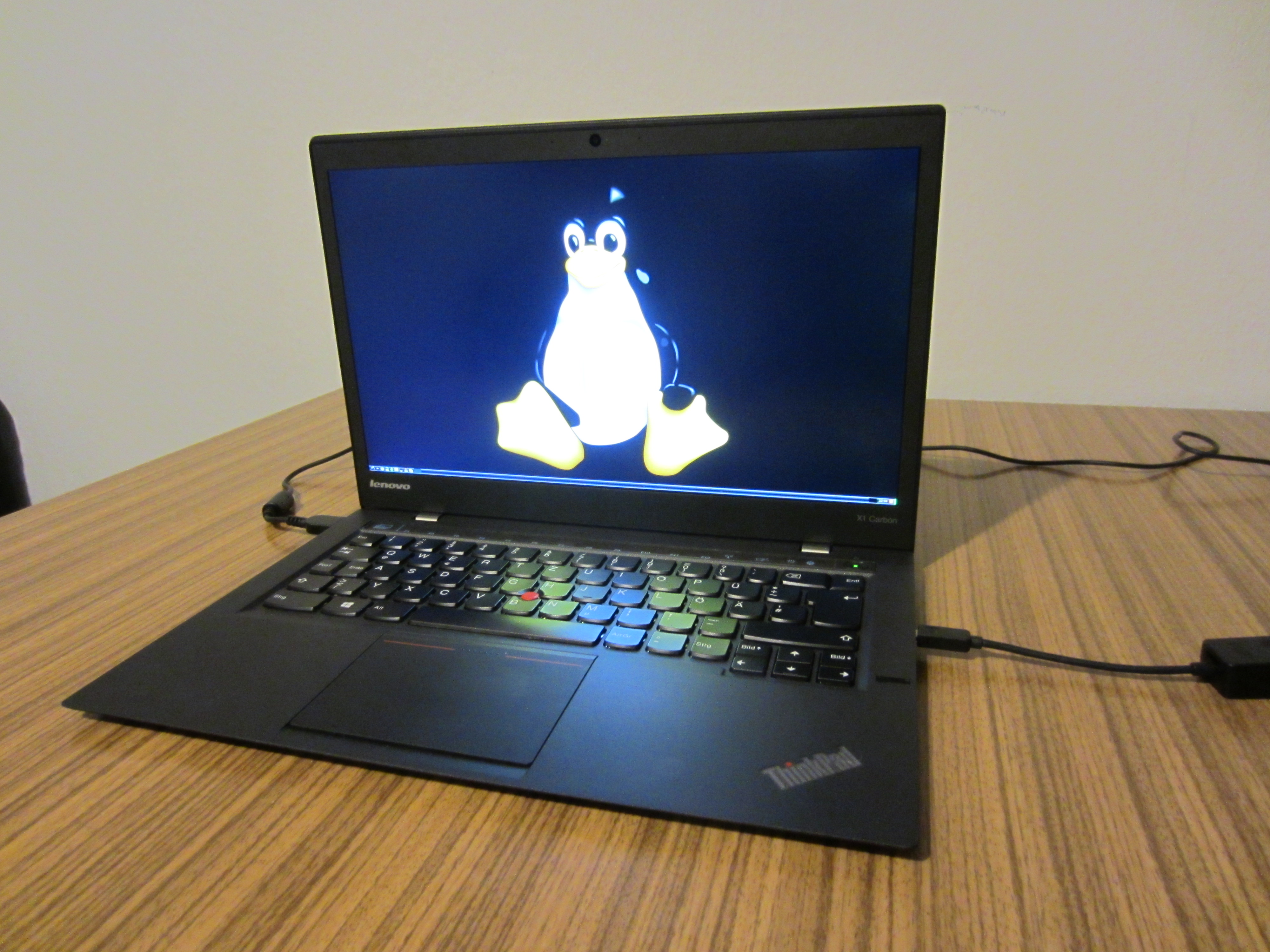 While I got along well with my Thinkpad T61 laptop, for quite some time I had the plan to get a new one soon. It wasn't an easy decision and I looked in detail at the models available in recent months. I finally decided to buy one of Lenovo's Thinkpad X1 Carbon laptops in its 2014 edition. The X1 Carbon was introduced in 2012, however a completely new variant which is very different from the first one was released early 2014. To distinguish it from other models it is the 20A7 model.
Judging from the first days of use I think I made the right decision. I hadn't seen the device before I bought it because it seems rarely shops keep this device in stock. I assume this is due to the relatively high price.
I was a bit worried because Lenovo made some unusual decisions for the keyboard, however having used it for a few days I don't feel that it has any severe downsides. The most unusual thing about it is that it doesn't have normal F1-F12 keys, instead it has what Lenovo calls an adaptive keyboard: A touch sensitive line which can display different kinds of keys. The idea is that different applications can have their own set of special keys there. However, just letting them display the normal F-keys works well and not having "real" keys there doesn't feel like a big disadvantage. Beside that Lenovo removed the Caps lock and placed Pos1/End there, which is a bit unusual but also nothing I worried about. I also hadn't seen any pictures of the German keyboard before I bought the device. The ^/°-key is not where it's used to be (small downside), but the </>/| key is where it belongs(big plus, many laptop vendors get that wrong).
Good things:
* Lightweight, Ultrabook, no unnecessary stuff like CD/DVD drive
* High resolution (2560x1440)
* Hardware is up-to-date (Haswell chipset)
Downsides:
* Due to ultrabook / integrated design easy changing battery, ram or HD
* No SD card reader
* Have some trouble getting used to the touchpad (however there are lots of possibilities to configure it, I assume by playing with it that'll get better)
It used to be the case that people wrote docs how to get all the hardware in a laptop running on Linux which I did my previous laptops. These days this usually boils down to "run a recent Linux distribution with the latest kernels and xorg packages and most things will be fine". However I thought having a central place where I collect relevant information would be nice so I created one again. As usual I'm running Gentoo Linux.
For people who plan to run Linux without a dual boot it may be worth mentioning that there seem to be troublesome errors in earlier versions of the BIOS and the SSD firmware. You may want to update them before removing Windows. On my device they were already up-to-date.
Wednesday, September 4. 2013
My AC100 travel laptop
 I recently noted that I have never blogged about this nice little device I now own for a couple of years. I originally bought the Toshiba AC100 before a two-month-long trip through Russia and China.
I was looking for a possibility to have a basic laptop, but without much weight. The AC100 is an ARM-based laptop which originally ships with the Android operating system. It weights less than 800 gramms and thus is lighter than the usual subnotebooks. According to my knowledge, it's not produced any more, but it can still be bought on ebay.
The nice thing is: You can install Linux on it and thus it will give you the possibility to run an almost full desktop-system. Though a warning ahead: While basic things work, it is quite a hacky business and you should expect to see problems. If you aren't prepared to solve them, this is probably not the solution for you.
Originally I was running Gentoo Linux on it (and it did well on my two-month trip), but now I'm running Ubuntu. The reason is that it was just too hard to get anything fixed if it didn't work. I rarely could find help anywhere, I assume there are only a handful of people that ever tried installing Gentoo on this Device. Ubuntu up until version 12.10 has reasonable support.
The great thing is: This is probably one of the lightest solutions to have a desktop/laptop-like machine with a real keyboard. Perfect for travelling. As it's running Linux, you can have access to a large number of standard applications. With lightweight apps like Abiword or Claws-Mail you can use basic applications.
The limitations are the Browser and Video. You can run Chromium or Firefox, but the device clearly shows its limits. Expect to wait longer sometimes, don't open too many tabs - and I always have to remember to never try to open Chromium and Firefox at the same time, as this makes the system mostly unusable. Obviously there's no Flash and nothing else that's only available in binary form, because ARM Linux is such a niche OS that nobody will provide binary apps for it.
Videos work, but limited. There's no xv support in the free driver. That means if you want to upscale a video to fullscreen, this has to be done in software and that usually means you cannot play videos fast enough. There's a binary graphics driver by Nvidia (the internals of the device are based on the Nvidia Tegra chipset), but I haven't had much success with it.
Friday, September 19. 2008
New T61 Laptop (8895WFJ)
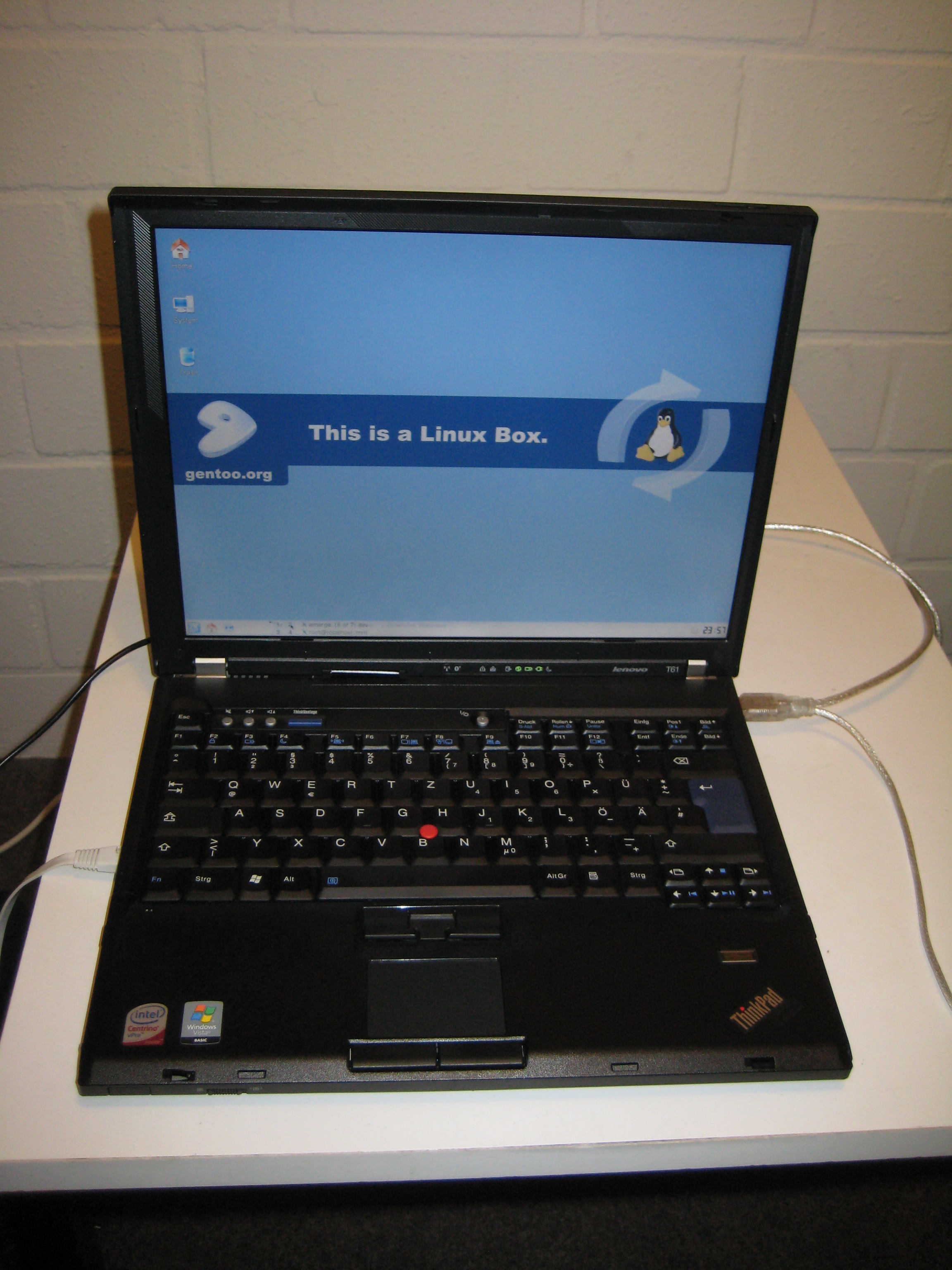 Today my new IBM/Lenovo Thinkpad T61 8895WFJ laptop arrived. While my P30 did a good job, it really was time to replace it.
I'm currently in the phase of installing Gentoo and getting used to the device, but I think it was a very good choice.
Beside the fact that Lenovos are probably popular for a reason, the 1400x1050-resolution, the well Linux-supported Intel-graphics and a quite acceptable weight (2,4 kg) were reasons for this model. I'm still in favour of 4:3 screens, because if you wanna have a 16:10 one with a decent resolution (e. g. > 1000 pixels height) they become either very expensive or very heavy. I still wonder why no vendor seems to produce 4:3 screens any more (from my research, not a single Montevina laptop has 4:3).
Some time soon you'll probably find some documentation about Linux on the T61 8895WFJ at http://www.int21.de/t61/.
Monday, November 5. 2007
An die Laptop-Hersteller da draußen
Monday, October 1. 2007
Advanced Hardware-Hacking
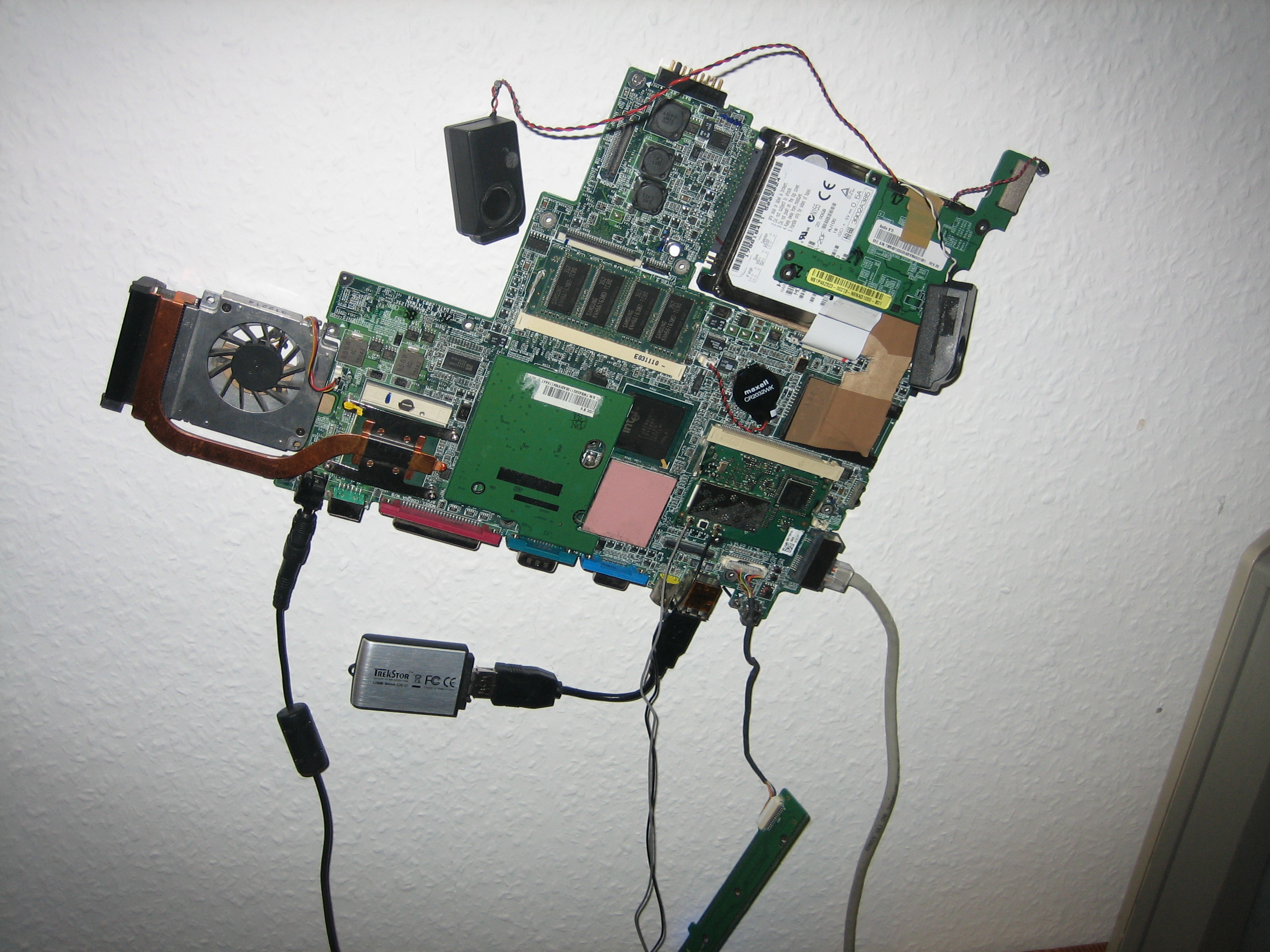 Recently, I did a bit of »modding« to my homeserver (an old P30 laptop, you may know that if you're regularly reading this blog).
I removed the case, which enabled me to remove some unneeded hardware to save energy. The touchpad, the internal modem and the front LEDs could easily be disconnected. The soundcard and the wireless card could also be removed, but they'll stay. The wlan will become a FreiFunk-node (stupid question: what's the english term for freifunk?). The soundcard makes it a perfect webradio player (and, for their mini-size, the quality of the speakers is quite acceptable).
Beside, the whole system now runs from a memory stick. A HD is still attached, but not used on normal operations. It tended to spin up without a reason, till I noticed that I still had smartd running. Now, the nice thing is, this device is now completely silent as long as I don't use the HD. Even if I run compile processes, the processor fan doesn't run. Seems that enough fresh air is sufficient to cool a Pentium M.
Another attractive feature is that I have three freely usable acpi-buttons, plus the three normal LEDs (caps, num, scroll). 3 LEDs, that makes 8 different LED-status combinations. My plan is now to use the three buttons, have 8 pre-programmed webradio channels and use one button for start/stop, one for switching channels. One is still left for creative purposes, volume control would be obvious, but that doesn't make much sense with one button. An idea would be to use the wlan-button and find a way to disable it's ability to switch the wlan-card on/off (at least a simple/hacky approach would be setting it back on as soon as it's switched off).
But that's not implemented yet, so don't ask for it. I'll publish it as soon as I've done that.
Monday, August 13. 2007
TV-Out for radeon r200/r300 cards
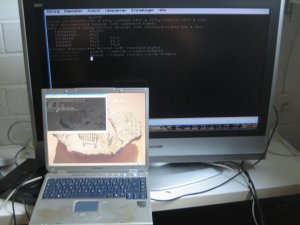 Maybe you've read that I did some coordination on relicensing the old GATOS TV-Out code to make inclusion into the radeon driver possible (gatos was gpl, while xorg uses mit-license).
Now, shortly after that Alex Deucher started implementing tv-out in the randr-1.2-branch of the ati driver based on that code. randr-1.2 is the new and shiny stuff that will make future versions of xorg manage resolutions and output connectors much better. As you can see on the picture, today I played around with the new code and got it working (get Gentoo git-ebuild here).
As a short howto, on some cards (including mine), autodetection of the connector status doesn't work yet. You'll have to manually force the connector:
xrandr --addmode S-video 800x600This is especially exciting as it is the last features of my laptop that was missing for »full linux-compatibility« (some minor issues left, as the cardreader only reads sd at the moment, the modem needs a binary driver).
xrandr --output S-video --mode 800x600
Sunday, November 19. 2006
Laptop-Upgrade P30 nach P35
Linux auf Pentium 75 Clevo Multimedia Notebook Computer FMA86T
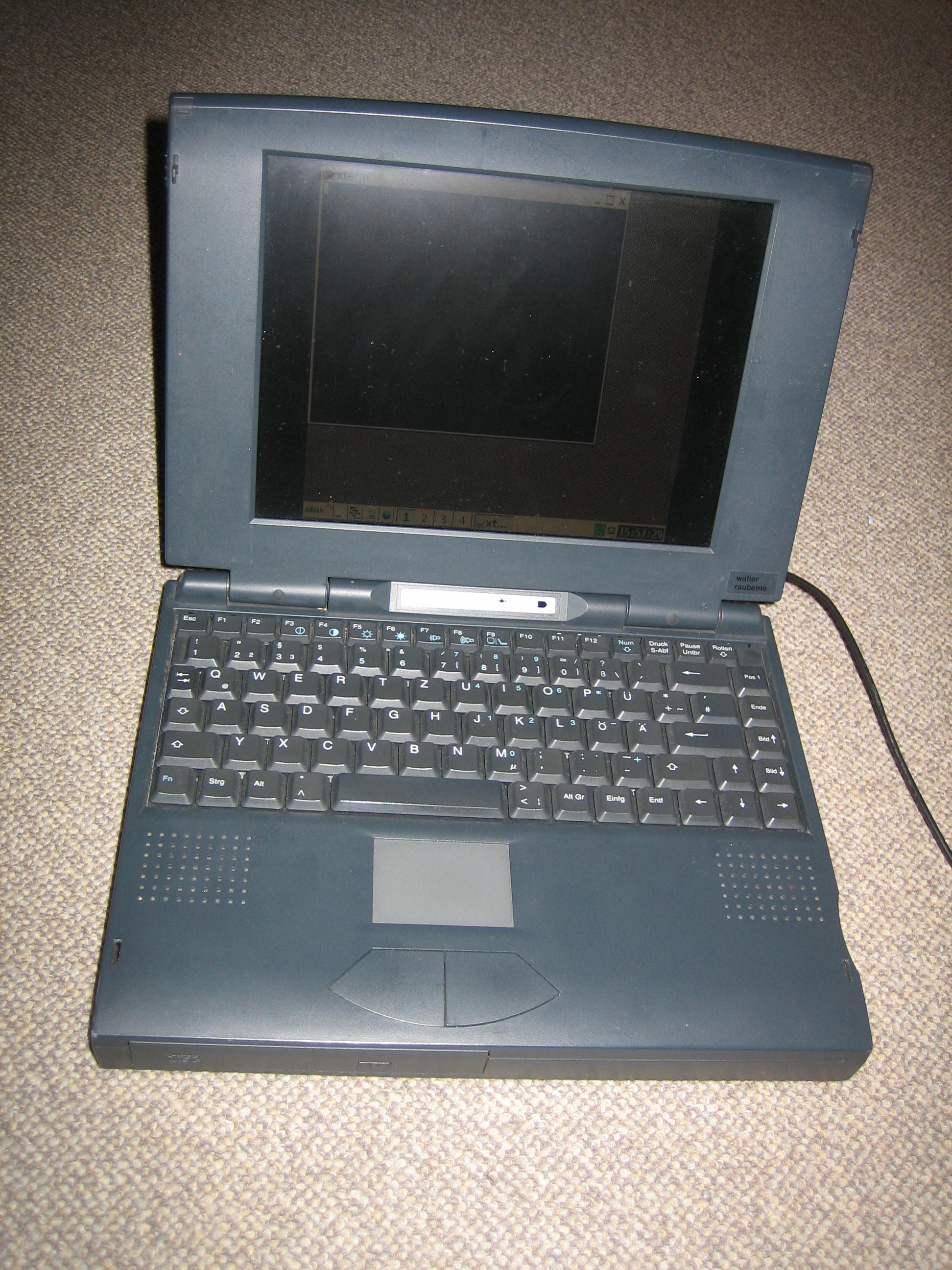 Eines der interessanteren Modelle der gestrigen Installparty war ein Pentium 75 Notebook, welches sich überschwänglich »Multimedia Notebook Computer« nannte.
Das erste Problem bei einem solchen Gerät ist ja, wie kriegt man da überhaupt Daten drauf. Weder Netzwerk, noch USB, zwar ein integriertes CD-ROM, doch nicht bootfähig. PCMCIA-Netzwerkkarte war auch nicht aufzufinden. Die wohl eher scherzhaft gemeinte Idee, die Festplatte in einen anderen Rechner zu bauen und dort zu installieren, nahm ich beim Wort.
Während der Installparty haben wir dann zwar keine Installation mehr vollbracht, jedoch bot ich an, das Gerät zuhause nochmal genauer unter die Lupe zu nehmen. Nachdem ich wie bereits angedeutet in einem Fremd-Laptop die Festplatte mit einem Debian Etch versehen hatte, der Versuch das ganze zu booten. Schlug fehl, mir fiel auf dass das Kernelimage im Bootmenü ein -686-suffix hatte - Debian erkennt scheinbar automatisch einen neueren Prozessor und installiert ein passendes Kernelimage. Also Platte wieder zurückgebaut, 486-kernel installiert und neu gebootet.
Fährt hoch, X start schlägt wie zu erwarten war fehl (bei gewechselter Hardware). Mit lspci die Hardware betrachtet. Die Grafikkarte war ein Modell von »Chips and Technologies«, was ich zwar noch nie gehört hatte, aber xorg schon. Es existiert ein chips-Treiber, mit dem die Karte dann auch (640x480 bei 16 bpp) lief, zwar mit schwarzen Rändern am Rand, aber immerhin. Das Touchpad war sogar ein Synaptics, Scrolling am Rand funktioniert tadellos. Da jedes moderne Desktop-Environment die Kiste wohl überfordert hätte, musste icewm herhalten.
CD-ROM und Floppy liefen problemlos.
Beim Soundchip musste ich leider passen. Zwar fand ich qua google heraus, dass es sich wohl um einen Opti 930 handelt, das snd-opti93x Modul meldete mir jedoch »no OPTi 82C93x soundcard found«. Möglicherweise mit entsprechenden Parametern für das Kernelmodul lauffähig.
Nun wäre natürlich eine Netzwerkverbindung interessant gewesen. Zwar hatte ich einige PCMCIA-Karten rumliegen, die einzige mit integriertem Anschluss war jedoch eine Cardbus, was unsere alte Hardware nicht verkraftete. Eine D-Link wurde korrekt erkannt und eingebunden, jedoch fehlt mir für diese ein Anschlussteil, der den flachen Stecker in einen Netzwerkstecker konvertiert (die Teile, die immer so schnell kaputtgingen).
Mein letzter Versuch, eine Orinoco WLAN-Karte, führte dann jedoch überraschenderweise zum gewünschten Erfolg. WLAN auf einem Pentium 75, wer kann schon behaupten, sowas schonmal betrieben zu haben? ;-)
Update: Tuxmobil brachte mir noch diese Seite zu dem Laptop.
Friday, October 20. 2006
Why you don't want winmodems
Friday, August 18. 2006
ICE und Strom
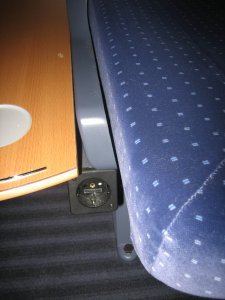 Kürzlich in einem der neueren ICE-Modelle gefahren. Als intensiver Laptop-Nutzer suche ich häufig immer erstmal nach eventuell vorhandenen Steckdosen, konnte aber an den üblichen Orten keine finden. Der Zug kam mir jedoch zu modern vor, um keine solchen zu haben.
Sie befinden sich, gut versteckt, unter den Armlehnen (siehe Foto), falls mal jemand in die selbe Situation kommen sollte.
Monday, August 14. 2006
My next laptop
Quicksearch
About me
You can find my web page with links to my work as a journalist at https://hboeck.de/.
You may also find my newsletter about climate change and decarbonization technologies interesting.
Hanno Böck
mail: hanno@hboeck.de
Hanno on Mastodon
Impressum

You may also find my newsletter about climate change and decarbonization technologies interesting.
Hanno Böck
mail: hanno@hboeck.de
Hanno on Mastodon
Impressum
Creative Commons

Unless noted otherwise, all content is CC Zero / public domain
