Wednesday, July 2. 2008
Routable OSM maps on Garmin with MapSource / WINE
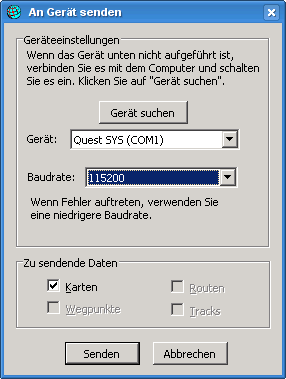 There are two tools out there for Linux to put Garmin maps (which you can convert from OpenStreetMap Data) on devices, sendmap (proprietary) and qlandkarte (free). Sadly, both don't support my device (Garmin Quest), so I had to find an alternative solution. This should also work with other garmin devices.
After some playing around, I managed to get it running with MapSource on wine. I've used wine 1.1.0 on Gentoo, if you have problems, be sure to get a recent wine version.
Steps to do:
- Download MapSource_6137.exe from the Garmin webpage.
- Use 7-Zip to unpack the exe to some directory: 7z x MapSource_6137.exe
- Install MAIN.msi: wine start MAIN.msi
- Install MapSource: wine Setup.exe
- Get one of the MapSource Installers from here and install it: wine Setup_OSM-Germany-2008-06-11.exe
- wine doesn't support usb, so you need the garmin_gps module. If it's installed on your system, it should load automatically after attaching your device and switching it on.
- You should now have a device ttyUSB0, which you need to symlink as com1 for wine: ln -s /dev/ttyUSB0 ~/.wine/dosdevices/com1
- Run MapSource: wine ~/.wine/drive_c/MapSource/MapSource.exe
- Go to Settings -> Transfer, there you can select a serial port. Select COM1.
- Click the map selection tool from the buttons and select an area.
- Select Transfer -> Transfer to device. If everything went fine, it'll detect your garmin device attached to the serial port and you can start your upload.
Trackbacks
Trackback specific URI for this entry
No Trackbacks
Quicksearch
About me
You can find my web page with links to my work as a journalist at https://hboeck.de/.
You may also find my newsletter about climate change and decarbonization technologies interesting.
Hanno Böck
mail: hanno@hboeck.de
Hanno on Mastodon
Impressum

You may also find my newsletter about climate change and decarbonization technologies interesting.
Hanno Böck
mail: hanno@hboeck.de
Hanno on Mastodon
Impressum
Creative Commons

Unless noted otherwise, all content is CC Zero / public domain
